A Pinterest marketing strategy only works if the content behind it is planned, not improvised. Most accounts that stall out on Pinterest aren’t short on effort. They’re short on a system: a calendar that decides which pin goes where, how far ahead to schedule a seasonal idea, and how one blog post turns into a week’s worth of pins.
Pinterest now reaches 640 million monthly active users, and 96% of the platform’s top searches are unbranded, which means people are actively hunting for ideas before they’ve picked a brand to trust. This guide walks through how to plan Pinterest content step by step, from account setup to a calendar you can actually keep up with month after month.
What a Pinterest Marketing Strategy Includes
A Pinterest marketing strategy is the plan behind what you pin, where you pin it, and when. It covers profile and board setup, keyword research, the content types you’ll create, and the calendar that schedules all of it. Skip that plan and most accounts default to posting whenever they remember to, which is the most common reason Pinterest traffic stays flat for months.
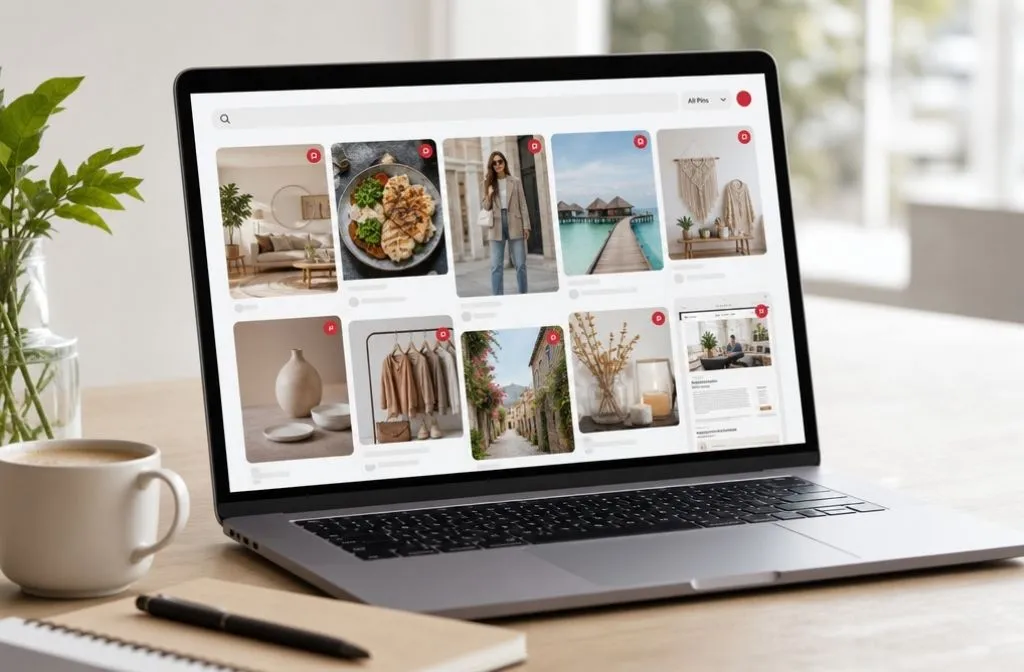
Pinterest behaves less like a social feed and more like a search engine. People type in what they’re picturing, a “moody bedroom” or “easy weeknight dinners,” and Pinterest surfaces whatever matches best, regardless of when it was posted. A pin published today can still be driving clicks a year from now, provided the topic and keywords behind it were chosen with search in mind rather than posted on impulse.
Set Up Your Pinterest Foundation Before You Plan Content
Convert to a Pinterest Business account before anything else. It’s free, and it’s the only way to access Pinterest Analytics, which you’ll need later to see what your content plan is actually doing.
Claim your website next. Claiming connects every pin linked to your domain back to your account, so traffic and engagement data show up in your analytics instead of getting lost. Once that’s done, apply for Rich Pins, which pull your article title, description, and author straight from your site so pins linking to your content look more complete in the feed.
Optimize Your Profile and Board Names While You Plan
Your profile name and bio are searchable, so treat them like a page title instead of leaving them purely promotional. Working your niche or main keyword in naturally means every pin you publish afterward inherits a bit of extra context Pinterest can use to match you to the right searches.
Board names get the same treatment. Keep them simple and specific, “Small Kitchen Storage Ideas” instead of “My Favorite Kitchen Stuff.” A vague board name gives Pinterest nothing to match a pin against, no matter how well the pin itself is optimized. For board descriptions, skip repeating the board name and work in synonyms, related subtopics, and words like “ideas” or “inspiration” that signal intent, since Pinterest is built around exactly that kind of searching.
Build Content Pillars Before You Build a Calendar
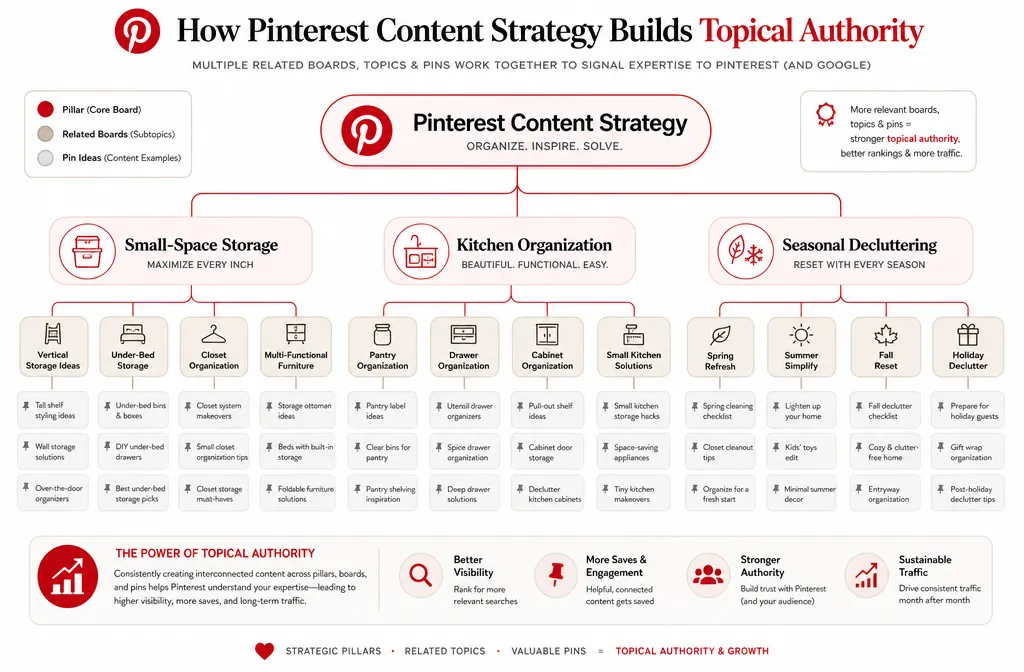
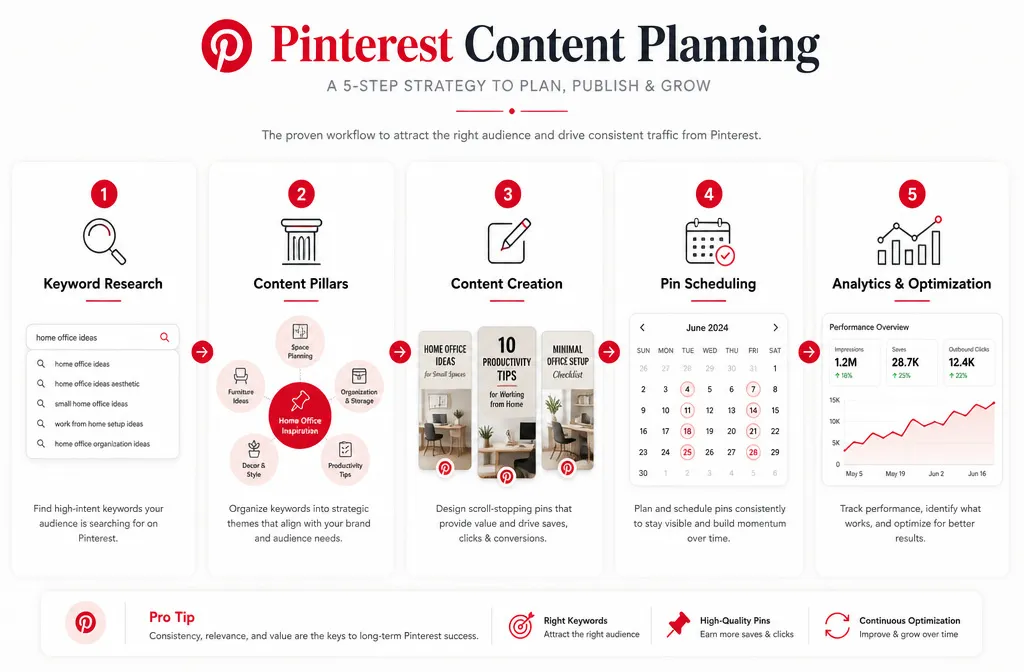
A content pillar is a broad topic your account keeps returning to. Three to five pillars are enough for most accounts. A home organization blog might use small-space storage, kitchen organization, and seasonal decluttering. A food blog might use weeknight dinners, baking, and meal prep.
Pillars matter because Pinterest’s algorithm builds confidence in topics an account already covers well. A brand-new board with one pin reads as a guess. A pillar with several boards and a steady stream of related pins reads as an authority, and authority is what gets shown to more people.
Research the Keywords and Trends That Fill the Calendar
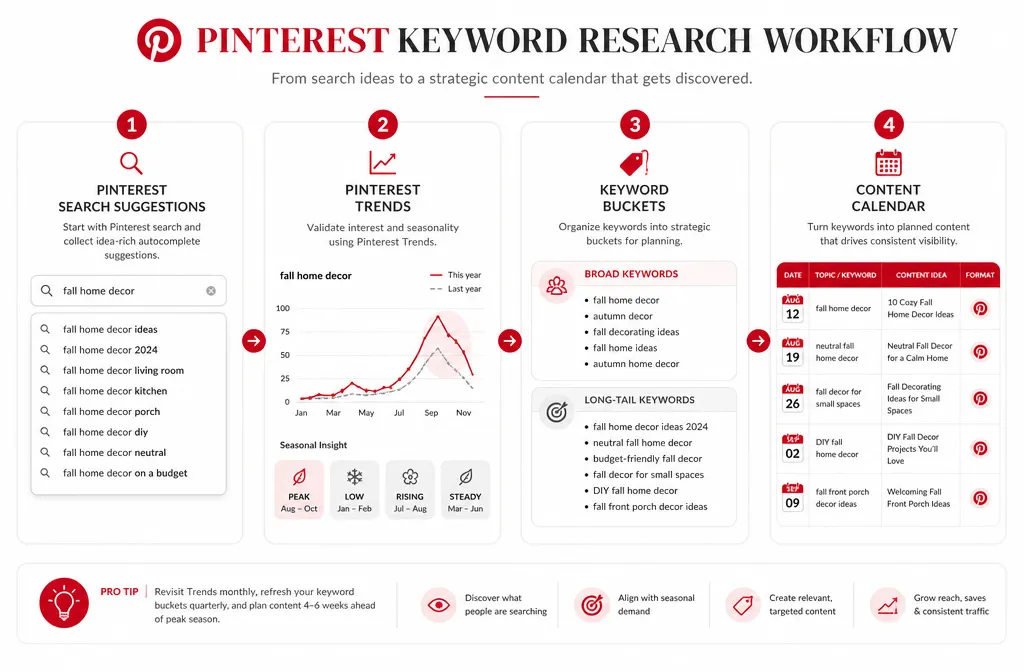
Every pin, board, and blog post needs a keyword behind it, or the calendar has nothing to organize around. Start with Pinterest’s own search bar: type a broad term tied to one of your pillars and note the autocomplete suggestions, since those are real phrases people are typing right now.
Pinterest Trends adds a second layer. It shows which topics are growing, which are seasonal, and which have already peaked. Cross-reference what you find there against your content pillars, and you end up with a running list of specific, search-backed topics instead of guesses about what might perform.
Sort what you collect into two buckets: short, high-volume terms for pin titles and board names, and longer, more specific phrases for text overlays and pin descriptions. Add a preposition like “for,” “with,” or “on” to a broad term (outfits becomes “outfits for”) and you’ll surface exactly this kind of long-tail phrase. That mix is what fills a calendar with variety instead of ten versions of the same keyword.
Choose the Content Types That Fill a Calendar Fastest
Two content types carry most Pinterest accounts. Single-topic articles cover one main idea: a how-to, a recipe, a tutorial. Round-ups stack many ideas into one post, like “20 Small Kitchen Ideas” or “15 Easy Weeknight Dinners,” where every item on the list can become its own pin.
Round-ups do more work for a calendar because one article can produce ten or more distinct pins, each targeting a slightly different angle of the same topic. A single-topic article usually earns one or two. If the goal is filling a calendar without publishing new articles daily, lean toward round-ups.
Build your Pinterest Content Calendar
Map One Post to Multiple Boards and Pins
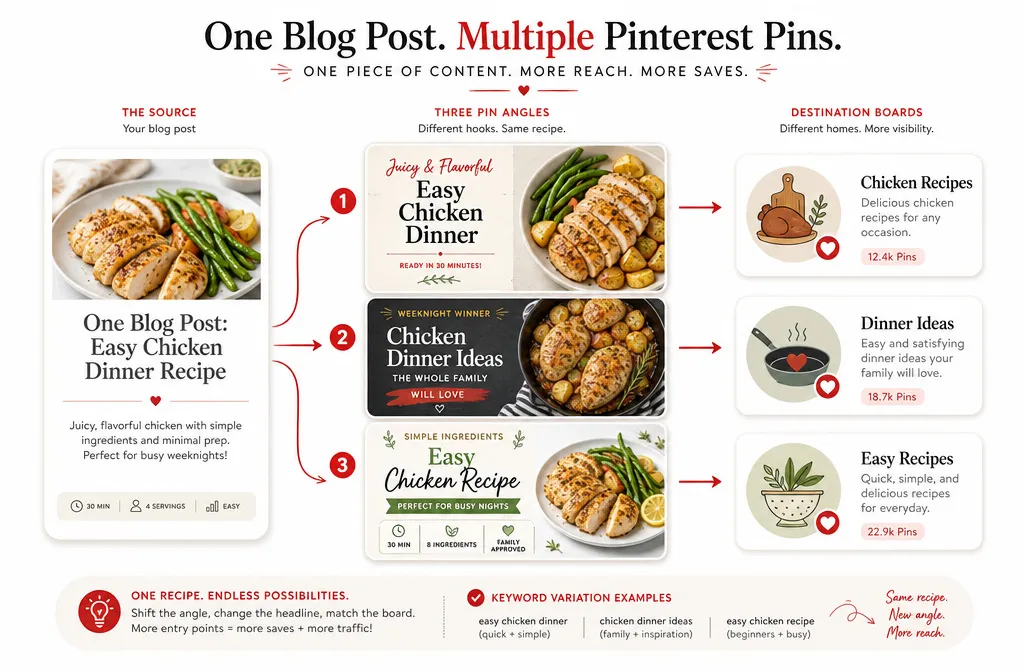
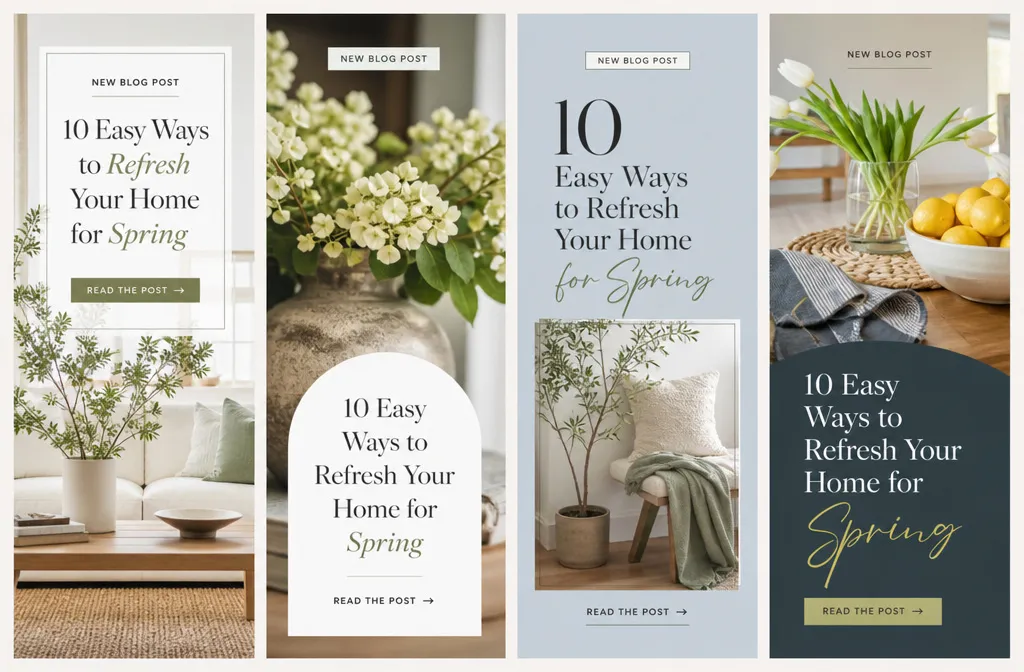
For every piece of content, create two or three different pins, each pointing to a different board. A chicken dinner recipe can go to “Chicken Recipes,” “Dinner Ideas,” and “Easy Recipes,” and each pin’s title should reflect the board it’s headed to. The one going to “Easy Recipes” should actually say “easy” somewhere in the title or overlay.
Plan Seasonal Content Months, Not Weeks, Not Days
Pinterest users plan well ahead of the date they actually need something, so a Pinterest calendar has to run further out than a publishing calendar for almost anywhere else. Pinterest’s own content-planning guidance points brands toward mapping seasonal and holiday moments out early in the year, and a safe working rule is to schedule seasonal content six to eight weeks before it’s relevant, stretching to two or three months for major shopping seasons like the winter holidays. Mark those dates on the calendar first, then fill in evergreen content around them.
Batch Instead of Posting Day by Day
Set aside a block of time, weekly or monthly, to create and schedule a batch of pins at once instead of making decisions pin by pin. Batching keeps the calendar consistent through weeks when there’s no time to think about Pinterest at all, and it’s usually the difference between a calendar that survives a busy month and one that quietly stops.
Set a Pinning Schedule You Can Actually Sustain
A lot of Pinterest advice pushes toward posting dozens of pins a day, largely because the native scheduler technically allows one every 30 minutes. More recent guidance from Pinterest’s own scheduling partners points the other way: new accounts tend to do better with three to five fresh pins a day, and established accounts often see stronger results from one to three well-targeted pins daily than from maxing out a scheduler.
What matters more than volume is freshness. Pinterest favors pins it hasn’t seen before, so ten new, well-designed pins spread across a week usually outperform the same ten dumped into a single day. Put the frequency question on your calendar as a range rather than a fixed number, and adjust it once your analytics give you something to react to.
Track and Adjust the Plan Every Month
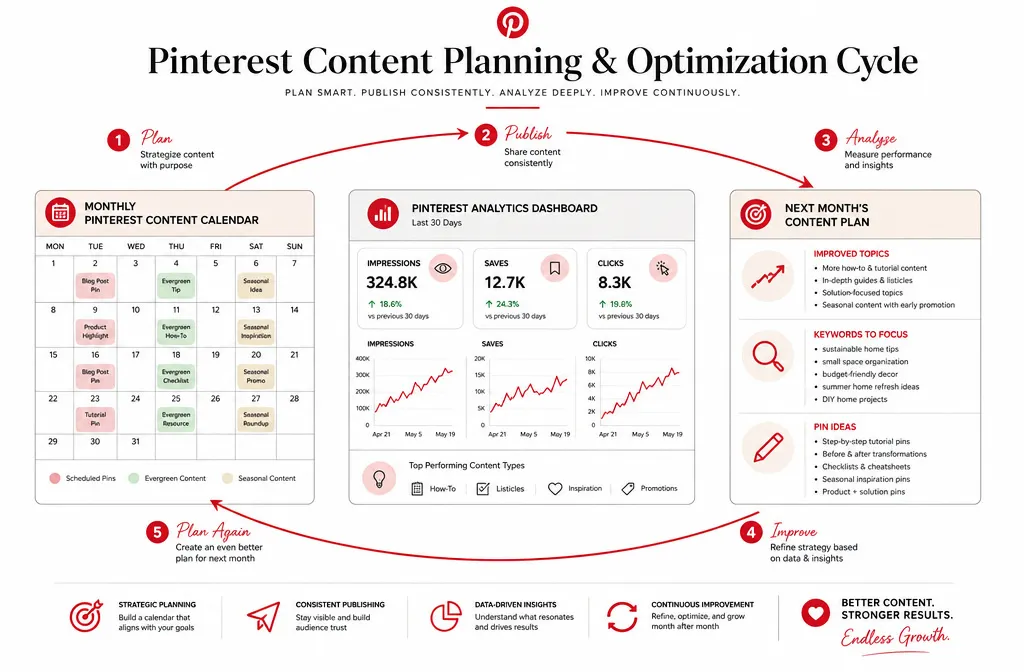
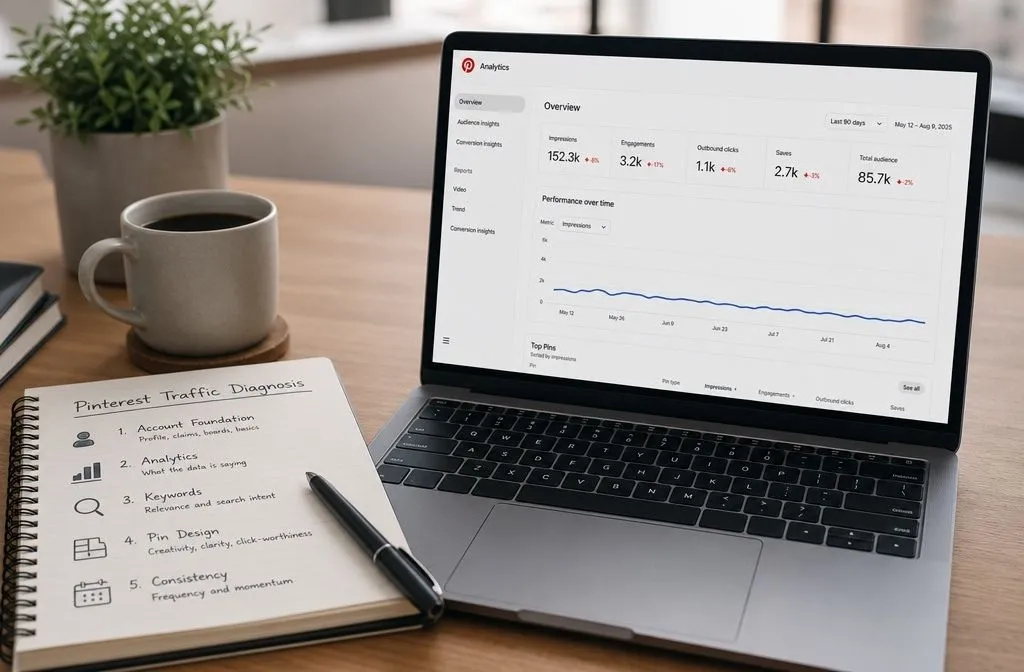
A calendar isn’t a plan you set once. Check Pinterest Analytics monthly and watch three numbers: saves, clicks, and impressions. Saves show which topics people want to revisit later. Clicks show whether your titles and designs are actually convincing people to leave Pinterest for your site.
Low impressions usually point to a keyword or board problem: the pin isn’t reaching the right audience. High impressions paired with low clicks point to the pin itself: the design or title isn’t compelling enough to earn the click once someone sees it. Either diagnosis should change what goes on next month’s calendar, not just get logged and forgotten.
Tools That Support Your Pinterest Marketing Strategy
Pinterest’s native scheduler is free and covers what most small accounts need: upload a batch of pins, assign boards, and set them to go out over the following days. Canva speeds up the design side with templates you can customize instead of building pins from a blank canvas. Tailwind adds scheduling built around your specific audience’s best-performing hours, which becomes useful once you have enough data to know when that is. For keyword research specifically, PinClicks is worth adding to that stack: it shows real search volume, surfaces the terms your competitors already rank for, and makes it easy to build the keyword clusters your calendar runs on.
Running this well, month after month, on top of everything else on a marketing calendar, is a lot to keep up with. If you’d rather hand it off, this is exactly what I do for clients: I manage the calendar, the keyword research, and the pinning schedule so you don’t have to think about it. Schedule a free call, and we can talk through what that would look like for your account.