Ask five Pinterest marketers how many pins per day on Pinterest you should publish, and you will get five numbers, ranging from one to fifty. Most of them are guessing. Some are guessing on behalf of a scheduling tool they want you to buy.
The honest answer is that Pinterest has never published a daily limit, and pinning frequency matters less than three other things nobody bothers to mention. Here is what the platform documents, what practitioners report, and how to pick a number you can hold for six months instead of six days.
What Pinterest says about pinning frequency
Pinterest’s Business Help Center is the only official source, and it is deliberately unspecific. In its guidance on pin performance and distribution, Pinterest tells creators to publish frequently and consistently to grow reach, then gives one concrete instruction: aim to create original content weekly.
Weekly. Not 48 times a day.
Pinterest also states plainly what will get you in trouble. Repeatedly saving the same pins or uploading content that already exists on the platform can get you flagged as spam and temporarily blocked from creating pins. The Community Guidelines add that automation not explicitly approved by Pinterest is prohibited, along with creating or saving repetitive content in an attempt to make money.
Read those two rules together, and the shape of the answer appears. Pinterest polices repetition, not volume. Twenty genuinely distinct pins a day is a smaller risk than five near-identical ones.
One more line from the same page is worth keeping: there is no set engagement window, and a pin can gain traction hours, days, months, or even years after it is published. Pinterest is a search index. A slow week does not delete your back catalogue.
Why the “48 pins a day” advice does not survive contact with the platform
High-volume pinning strategies usually justify themselves with scheduler math: one pin every 30 minutes equals 48 pins a day. That math does not match Pinterest’s documented tool.
According to Pinterest’s own scheduling help page, you can schedule a pin up to 30 days in advance, you can only schedule one pin at a time, and you can have a maximum of 10 pins scheduled for the future. On desktop, you can select up to 10 images in a single pass, and each becomes its own pin, but the 10-pin ceiling on the future queue still applies.
So a 48-pin day using native tools means returning to the queue four or five times, or publishing manually throughout the day, or routing everything through an approved partner tool. It is not a set-and-forget session.
Worth noting: Pinterest’s own pages disagree with each other. The scheduling article says 30 days in advance, while the pin performance article says two weeks. When the platform cannot keep its own documentation aligned, treat any strategy built on precise scheduler capacity with suspicion.
How many pins per day on Pinterest by account stage
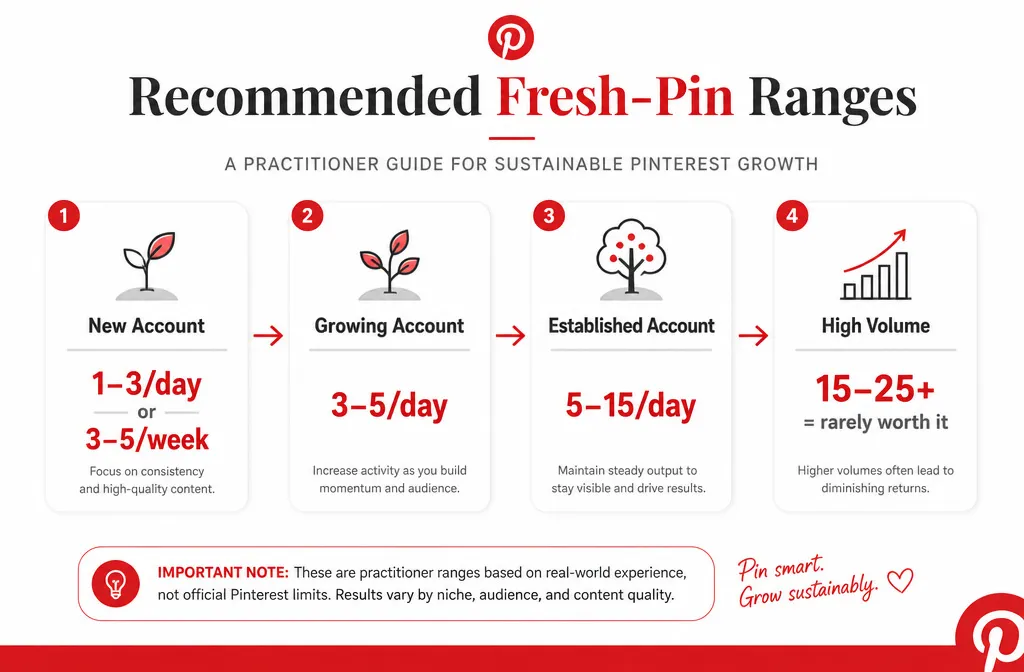
No single number fits every account. What follows is practitioner consensus, not Pinterest policy, and it is worth saying so out loud because most articles present these ranges as if they came from the platform.
| Account stage | Fresh pins per day | Why |
| Brand new, 0 to 2 months | 1 to 3, or 3 to 5 per week | Pinterest has no history for your account. Slow, steady output builds a pattern it can read. |
| Growing, 2 to 6 months | 3 to 5 | You have enough URLs to vary destinations and enough data to see which topics move. |
| Established with a deep library | 5 to 15 | Volume only helps when every pin is a genuinely new creative pointing somewhere relevant. |
| Above 15 to 25 | Rarely worth it | Returns flatten, spam risk climbs, and creative quality almost always drops first. |
Tailwind, an approved Pinterest partner, publishes similar guidance: 3 to 5 fresh pins per week for new accounts, 1 to 3 daily for active bloggers and creators, and 5 to 10 daily for high-volume ecommerce shops with varied content.
If you are managing a client account and cannot decide, start at the bottom of the range for their stage and raise it only after 30 days of stable impressions.
Your content library is the real ceiling
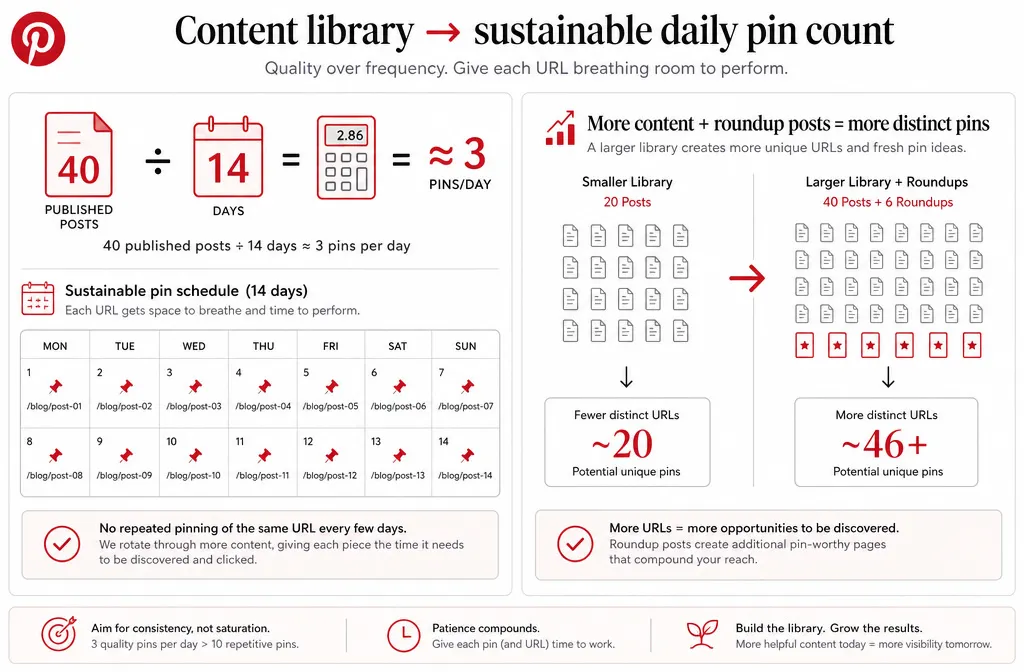
Here is the constraint nobody puts a number on. Your daily pin count is capped by how many distinct URLs you can point to, not by how many hours you have.
Run the math on your own site. Say you have 40 published posts and you decide on 5 pins a day. That is 35 pins a week, which means every URL on your site receives a fresh pin roughly every eight days. For a recipe roundup or a home decor listicle, that is fine, because a reader would plausibly save several images from one post. For a 900-word advice article, pinning the same destination every eight days is exactly the repetition Pinterest’s spam guidance describes.
A workable rule: divide your total pinnable URLs by 14. That is a sustainable daily pin count that gives each destination roughly two weeks of breathing room. Forty posts gives you about three pins a day. Want more? Publish more, or build roundups where each image genuinely deserves its own pin.
This is also why roundup and listicle content outperforms on Pinterest. It raises your ceiling honestly instead of forcing you to recycle.
Three things that matter more than your daily number
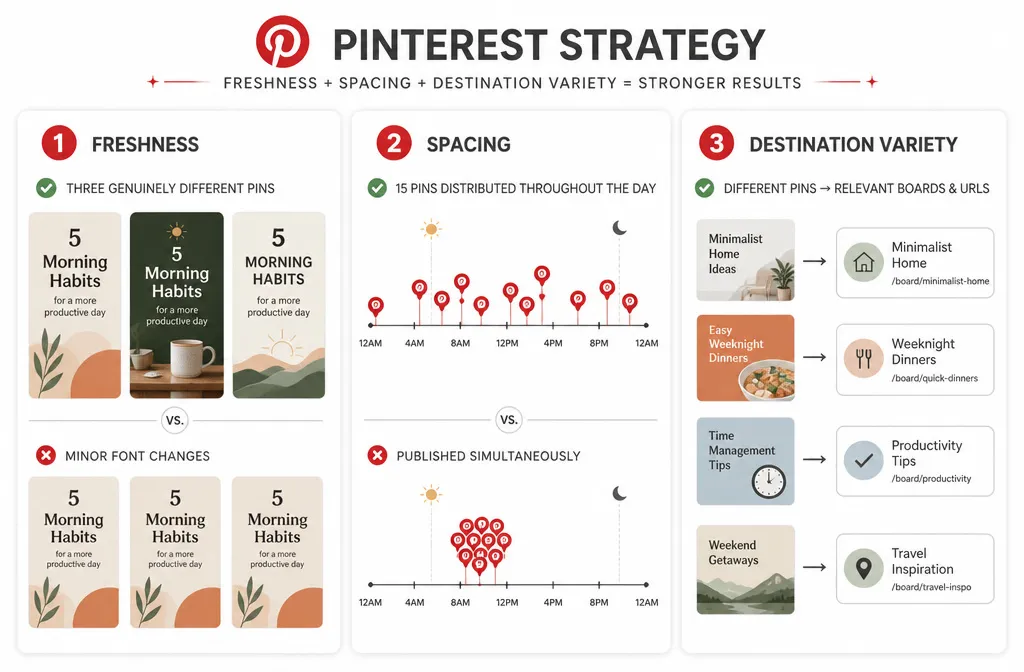
Freshness. A fresh pin is a new image Pinterest has not indexed before, even when it links to an old page. Changing a font while keeping the same photo does not qualify. New photo, new layout, new hook.
Spacing. Publishing 15 pins inside two minutes reads as automated. The same 15 spread across a day reads as a person. Spacing also puts your pins in front of more of the hours your audience is browsing.
Destination variety. Tailwind’s guidance is to send the same pin to no more than 10 boards, with 2 to 3 days between each posting. In practice, one relevant board per pin plus one strong secondary is enough for most accounts, and it removes the repetition risk entirely.
Then there is the page your pin lands on. Pinterest lists it directly in its performance troubleshooting: it recommends checking that your domain loads in under four seconds, and that the images, text, and keywords in your pin match the details on the landing page. A perfect pinning schedule pointing at a slow, mismatched page will still underperform.
If your account is stuck despite consistent output, the problem is usually one of these four and not your pin count. That diagnosis is most of what a Pinterest audit is for.
Building a pinning schedule you can hold
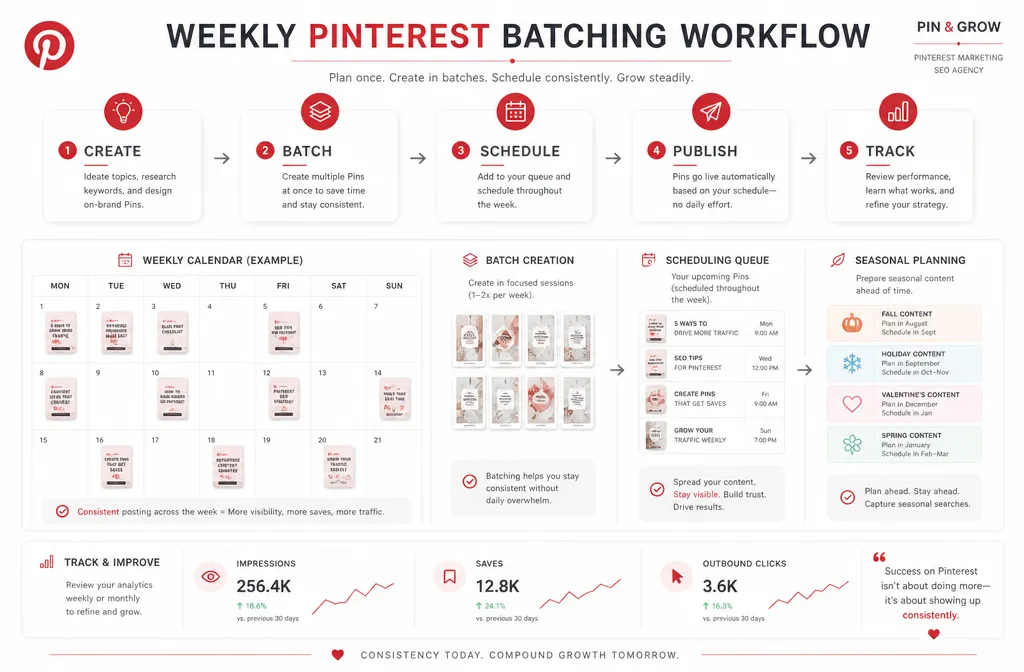
Consistency beats intensity, and the reason is boring: intensity ends. Accounts that publish 40 pins in a weekend and then go quiet for three weeks perform worse than accounts that publish three a day without drama.
Pick your number using the library math above, then protect it:
- Batch once a week. One session, all your creatives, one template family with varied layouts. Most people can produce 20 to 35 pins in about 90 minutes once the templates exist.
- Queue what the tool allows. Native scheduling holds 10 future pins, so refill it every couple of days, or use an approved partner tool if you need a deeper queue.
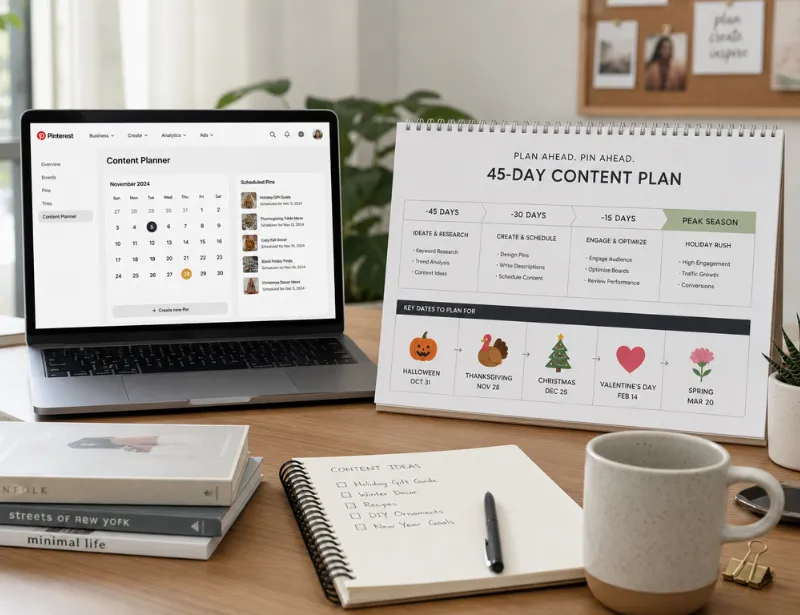
- Front-load seasonal work. Pinterest users plan ahead. Seasonal pins want to be live 30 to 45 days before the event, which means your batching calendar runs a month ahead of your blog calendar.
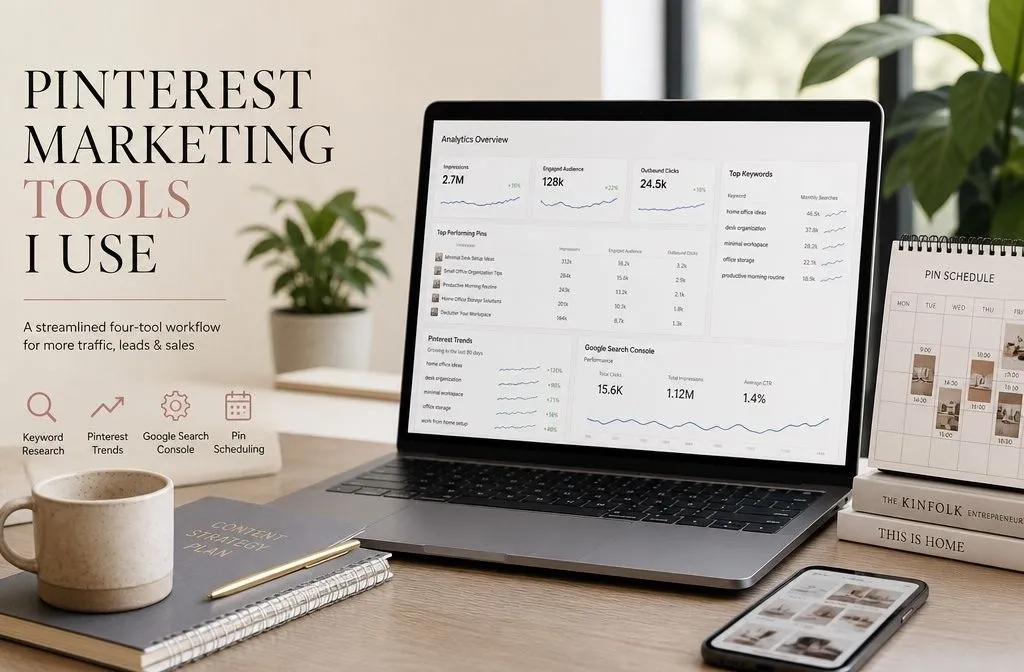
- Track only three metrics. Impressions tell you about distribution, saves tell you about the creative, outbound clicks tell you about the hook. Everything else is decoration.
Missing a day will not undo you. Missing a month will.
How to tell your number is wrong
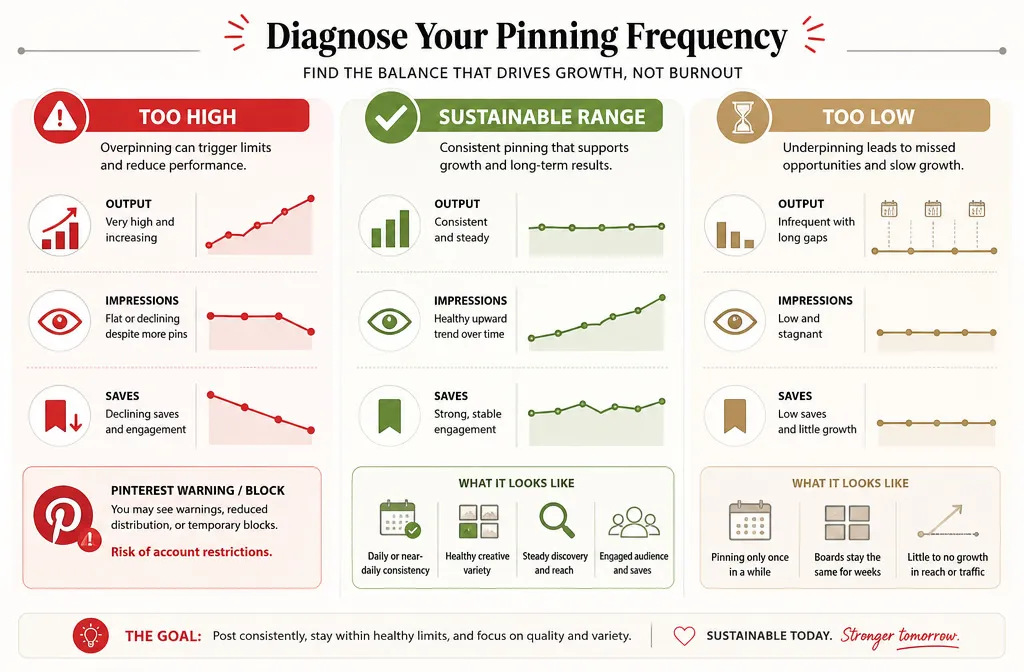
Too high looks like: impressions flat or falling while output climbs, save rate dropping across every board, or a message from Pinterest that you are temporarily blocked from creating pins. Cut volume by half and rebuild the creative variety before you scale again.
Too low looks like: impressions steady but tiny, no new boards gaining traction, and long gaps where the account produces nothing. Add one pin a day and hold it for a month before adding another.
The number itself is not the strategy. It is the pace at which your strategy gets delivered. Get the pins genuinely different, the destinations varied, and the landing pages fast, and almost any number between three and fifteen will work.