Pinterest Marketing Tools I Use
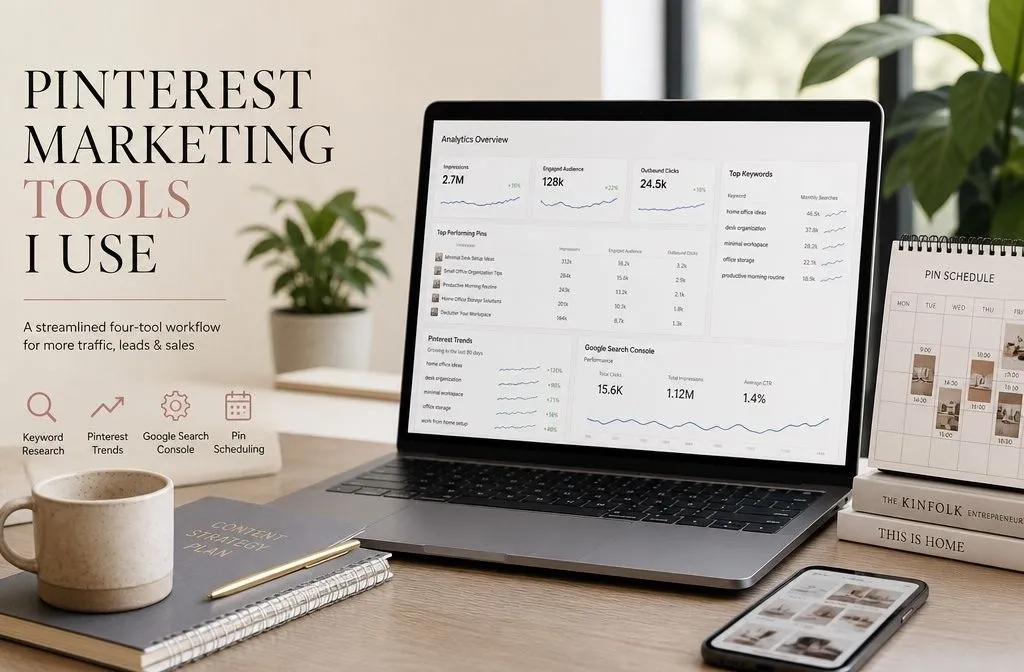
Every roundup of Pinterest marketing tools I’ve read lists somewhere between seven and thirteen different platforms. I don’t use most of them, and after managing accounts for a few years now, I don’t think most bloggers or Pinterest managers need them either. Here are the Pinterest marketing tools I actually use, on client accounts and my own site: four tools, and only two of them cost money.
The Pinterest Marketing Tools I Use for Keyword Research
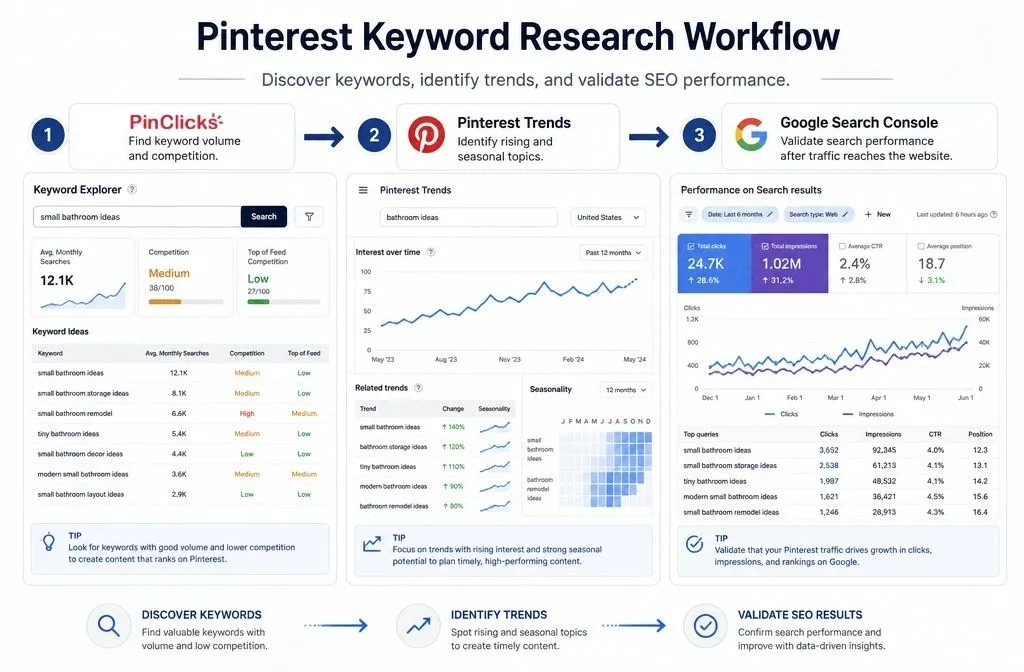
Pinterest is a search engine before it’s a social platform. Every board name, pin title, and pin description starts with a keyword, not a design idea. I run three tools side by side here, and each one answers a different question.
PinClicks (Paid)
PinClicks is the tool I open first when researching a new keyword cluster. It’s built by Tony Hill, the same strategist behind the Pin Point Traffic course, and it pulls keyword volume, competition, and top-performing pins directly from Pinterest’s own search data instead of estimating from the outside.
The Pin Pro plan runs $29/month and covers Keyword Explorer, Account Explorer, and Pin Stats, which is the core of what a Pinterest keyword workflow actually needs. Pin Plus steps up to $49/month if you’re tracking thousands of keywords across multiple accounts. Both plans come with a 5-day free trial, and annual billing knocks the price down by roughly 28%.
I use Keyword Explorer to sort a seed keyword by volume before I ever open a design tool, and Account Explorer to see what my own client accounts (or competitors) rank for that they haven’t targeted yet. It’s the one paid tool on this list I’d keep even if I had to cut everything else.
Pinterest Trends (Free)
Trends.pinterest.com is Pinterest’s own trend tool, and it’s free for any business account. I check it before planning seasonal content, since it shows what’s rising in a category weeks or months before the actual season hits.
The filter by age group matters more than people realize. Filtering to 35+ instead of looking at the blended default shows different terms, and that demographic tends to click more and generate stronger RPMs on the other end.
Google Search Console (Free)
Google Search Console isn’t a Pinterest tool, but it’s part of how I judge whether a pin actually worked. Pinterest Analytics tells you what happened on Pinterest: impressions, saves, outbound clicks. Search Console tells you what happened after someone landed, whether that page is also picking up Google impressions for the same keyword the pin targeted.
I pull both up side by side once a month. If a page is getting real Pinterest clicks but zero Google Search Console impressions for its main keyword, that’s usually a sign the on-page SEO needs work, not the pin.
How I Schedule Pins
Scheduling is the one place I use a paid tool that isn’t strictly necessary. Here’s the split.
Tailwind (Paid, optional)
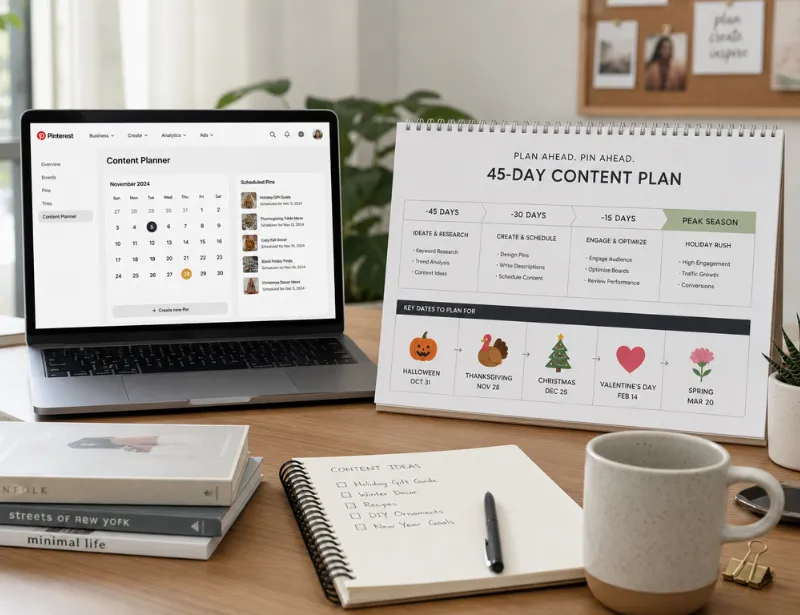
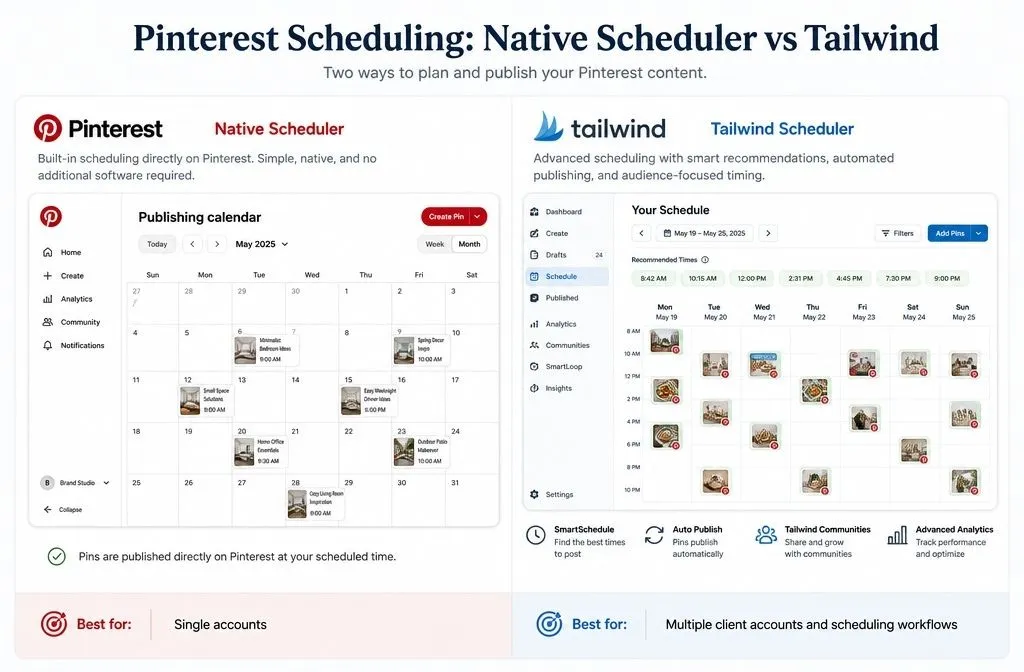
Tailwind has been Pinterest’s official developer partner since 2012, and SmartSchedule is the reason I still pay for it on client accounts. It picks posting times based on when an audience is actually active, instead of me guessing at time zones across multiple client accounts.
Current pricing runs $17.99/month for the Pro plan on annual billing (it lists at $29.99/month before the discount), covering one account and 150 posts a month. There’s a genuine free-forever plan too, capped at 5 posts a month, which is enough to test it before committing.
Why I Still Recommend the Native Scheduler
For a single account with a manageable pin volume, Pinterest’s own scheduler is what I point people to first. It’s free, it’s built into the platform, and there’s no third tool sitting between you and your account.
The caveat: it caps how many pins you can queue at once and how far ahead you can schedule, and those caps have shifted more than once. If you saw a specific number in an older course or blog post, don’t treat it as gospel, check your own account, since Pinterest has changed this more than once without much announcement.
Pinterest Marketing Tools I Deliberately Don’t Use
Most full Pinterest strategy courses (Tony Hill’s included) recommend a much longer stack: a board-cleanup Chrome extension, a bulk-deletion automation built in Make.com, a dedicated pin-copy AI tool, a project management app for tracking every pin. I’ve tried versions of most of them, and for the volume I manage, they add more setup time than they save.
Design tools are the other common gap in this list. Most Pinterest accounts run their pin design through Canva, and if you’re building your own pins from scratch, it’s still the right place to start.
Need Help Putting These Pinterest Marketing Tools to Work?
Owning the right tools and having a system that turns them into consistent traffic are two different things. If you’d rather hand off the keyword research, scheduling, and account structure, book a free consultation.