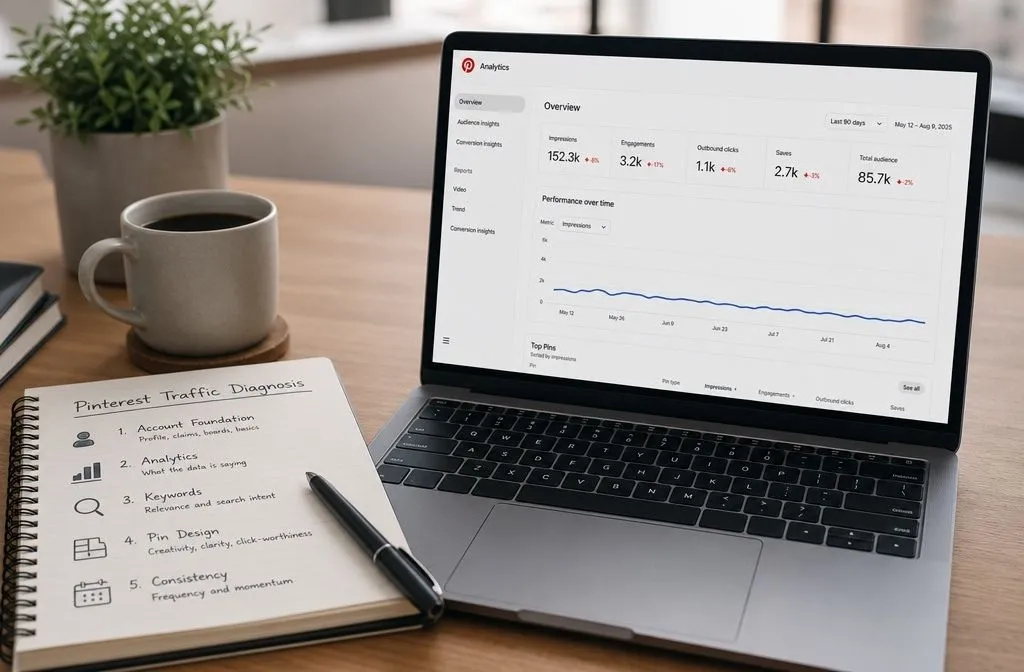
Most Pinterest marketing mistakes do not look like mistakes. They look like work. You pin daily, rewrite descriptions, reshuffle boards, join a group board, and six months later the traffic graph is still a flat line at the bottom of the screen.
The problem is not your effort. Pinterest gives you feedback slowly, so a broken process can run for months before the data reveals anything is wrong. By then, you have spent dozens of hours on habits that were never going to yield results.
Below are eight of the most common Pinterest mistakes that quietly eat time, why each one fails, and the cheaper version of the same work.
Why Pinterest marketing mistakes are so hard to spot
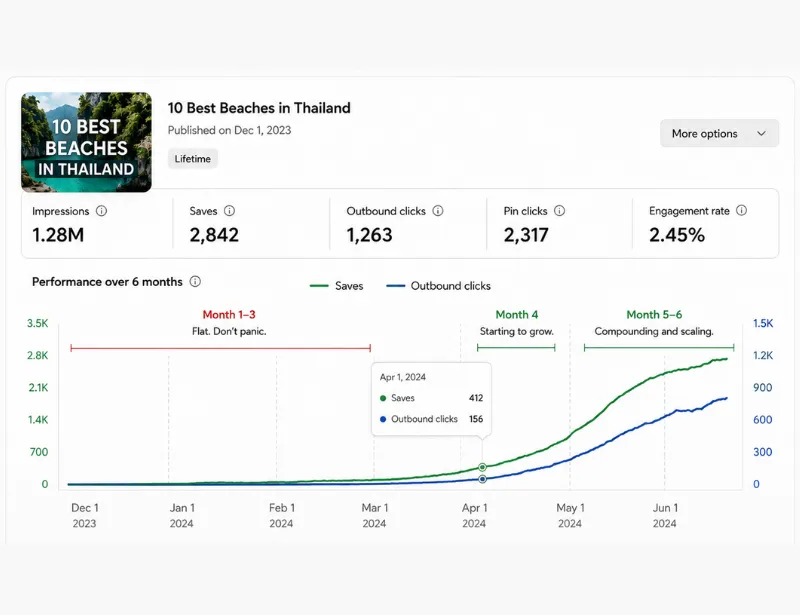
A pin is not a post. On a feed platform, a bad post dies in two hours, and the failure is obvious. On Pinterest, distribution builds through search and the home feed over weeks and months, which means a pin that will eventually work and a pin that will never work look identical for the first 30 days.
Two things follow from that. First, you cannot judge a tactic quickly, so you have to judge the reasoning behind it. Second, the cost of a bad habit is multiplied by every day you keep repeating it.
Scale is also worth keeping in perspective. Pinterest reported 640 million monthly active users in Q2 2026, its eleventh straight quarter of double-digit user growth, and told investors that Gen Z is now more than half the user base and its fastest-growing cohort. Anyone still writing pin copy for the “moms in their forties planning a wedding” stereotype is targeting a version of the platform that no longer describes most of its audience.
1. Treating Pinterest like a social network
The single most expensive habit is importing social media reflexes: chasing followers, commenting to be noticed, following accounts hoping for a follow back, posting to “stay active.”
Pinterest distribution runs primarily on search and interest matching. A pin surfaces because its keywords, image, and destination match what someone is looking for, not because you have 4,000 followers. Follower count is a weak signal that mostly affects the small share of distribution coming from your follower feed.
Do this instead: cut the reciprocity work entirely. Spend that hour on keyword research and pin creation, which are the two inputs that actually determine reach.
2. Saving the same pin to ten different boards
The old advice was to squeeze every pin for reach by saving it across every board it vaguely fits. That advice is now actively risky. Pinterest’s Community Guidelines ask creators not to save content that is repetitive, deceptive, or irrelevant in an attempt to make money, and separately list keyword stuffing and redirecting existing pins to new destinations as attempts to improperly influence distribution.
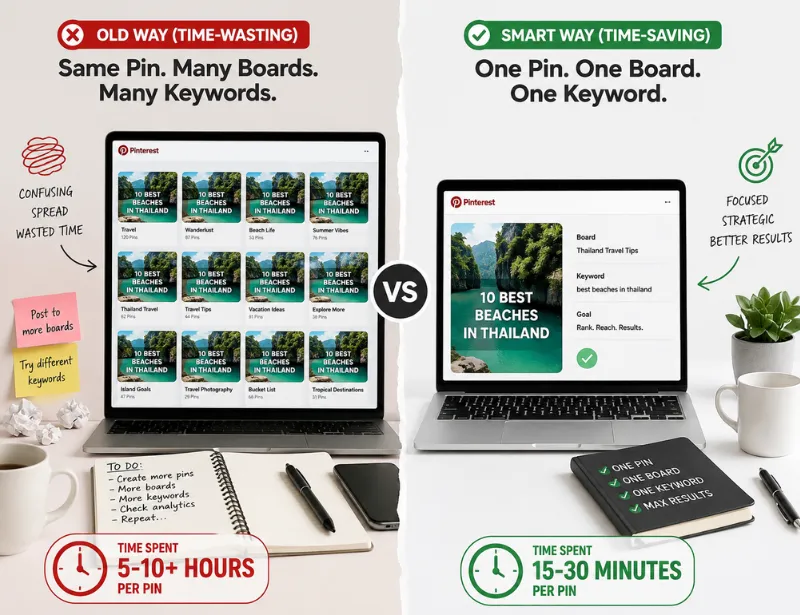
Beyond the policy risk, the tactic is a poor use of time. Ten saves of one image target one keyword ten times. One new image with a different title targets a new keyword and reaches a new audience.
Do this instead: save each pin once, to the board where it genuinely belongs. If a post deserves a second board, it deserves a second design with a title written for that board’s intent.
3. Recycling graphics built for another platform
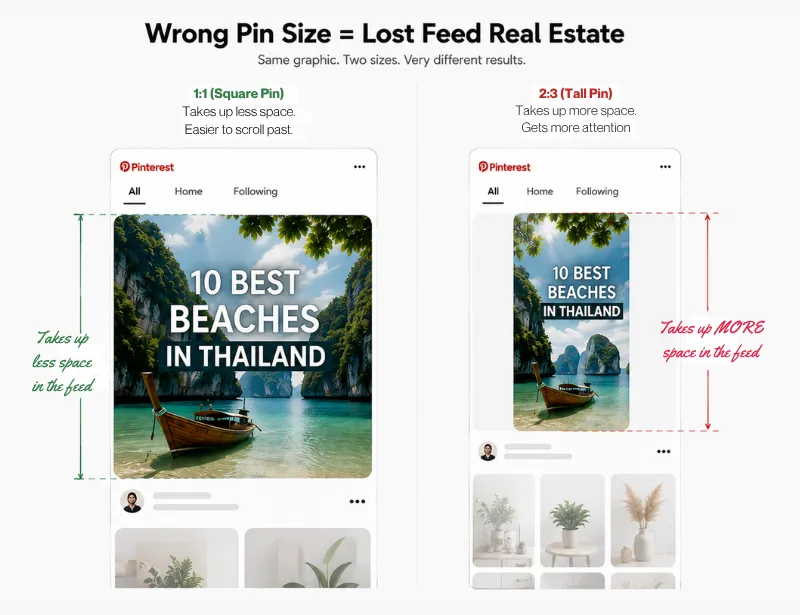
Pinterest’s own ad specs recommend a 2:3 aspect ratio at 1000 x 1500 pixels. A square graphic pulled from Instagram occupies roughly two-thirds of the feed height a correctly sized pin gets, so it is smaller, scrolled past faster, and saved less often. Anything taller than roughly 1:2.1 risks being cropped in the feed.
Legibility is the second half of this. Most people browse on a phone, so text overlay has to read at thumbnail size. A three-line sentence in a thin script font is invisible at the size it will actually be viewed.
Do this instead: rebuild vertically rather than cropping. Short high-contrast phrases, one idea per pin, and a quick check of the design at 20 percent zoom before you publish.
4. Chasing a daily Pin
Somewhere along the way, “pin 30 times a day” became gospel. Pinterest has never published a required daily pin count. The numbers circulating in blog posts and courses (4, 20, 30, 48) come from individual creators and third-party tools, not from Pinterest, and treating any of them as a target turns a strategy into a quota.
The quota is where time disappears. Hitting an arbitrary number pushes people toward duplicate images and repeat saves, which is exactly the behavior in mistake two.
Do this instead: measure your output in distinct keywords covered per week, not pins published per day. Ten pins covering ten different search phrases beat forty pins covering four.
5. Skipping the setup that multiplies everything after it
Three one-time tasks change the return on every pin you publish afterward, and they are the ones most often postponed.
A business account unlocks pin analytics, native scheduling, ads, and rich pins. Claiming your website connects your content to your account and gives you site-level data. Rich pins pull your page title, description, and author onto the pin itself, and article and recipe rich pins update automatically when you edit the underlying page.
One nuance: if you manually edit a rich pin’s title or description on Pinterest, your edit overwrites the rich metadata for that pin. Set the page up properly and let it populate.
Do this instead: finish all three before you publish another batch. An afternoon of setup improves every pin from that point forward, which no amount of extra pinning can match.
6. Writing pin copy for the algorithm instead of the reader
Keyword-stuffed descriptions are named directly in Pinterest’s guidelines as an attempt to manipulate distribution. They also fail on their own terms, because a description packed with variations of the same phrase gives a reader no reason to click.
Hashtags sit in a murkier place. Pinterest removed hashtag guidance from its creative best practices years ago, and support staff has discouraged them, but the company has published no clear current position, and practitioners still disagree about whether they help. Nobody can honestly tell you they work. Treat them as optional and unproven rather than as a checklist item.
Do this instead: use the 100-character title for the search phrase plus the hook, since the first part is what shows in the feed. Use the 500-character description to add context and a reason to click, front-loading the important words.
7. Sending clicks to a page that cannot hold them
Earning the click is the expensive part. Losing the visitor two seconds later is the wasteful part. A pin that promises a free printable and lands on a sales page is both a bounce and a policy problem, since Pinterest treats misleading links as spam.
The softer version is more common and just as costly: the pin is accurate, but the page loads slowly, buries the promised content below three ad units, or uses an H1 that has nothing to do with the pin title.
Do this instead: open your top five pins, click through as a stranger would, and check that the promise in the pin appears above the fold on the page. Fix the mismatches before you make more pins pointing there.
8. Rebuilding the account every time a month looks bad
Deleting pins at 60 days, renaming boards quarterly, resetting descriptions across the account: each of these is hours of work performed on content that has not had time to be judged, and each one throws away the data you would need to learn anything.
Pinterest rewards accounts that stay consistent long enough for pins to accumulate search history. Constant restructuring resets that clock.
Do this instead: hold a change for at least 90 to 120 days before evaluating it, and compare cohorts of pins rather than months. Pins published in March against pins published in June tells you whether your process improved. Traffic in June against traffic in May mostly tells you about seasonality.
How to fix the Pinterest marketing mistakes costing you the most time
Rank the eight by hours spent, not by severity. For most accounts, the order is the same: the follow-and-comment routine, the duplicate saves, and the monthly rebuild together account for the majority of wasted Pinterest hours, and none of them contribute to distribution.
Redirect that time toward three things. Finish the account setup. Build a keyword list wide enough that every new pin targets something the last one did not. Fix the landing pages your best pins already point to.
If the account has been running six months with real effort and no movement, the problem is usually a diagnosis problem rather than an effort problem. A structured audit of the boards, the keyword spread, and the destination pages will find it faster than another quarter of pinning, whether you run that audit yourself or bring in someone who does it for a living.