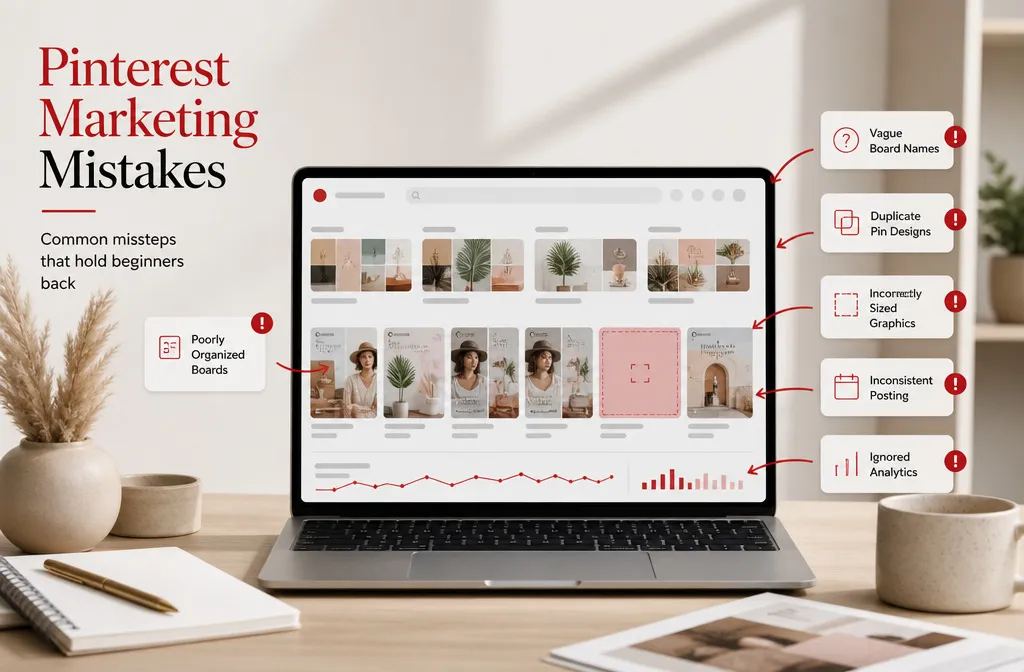
Most Pinterest beginner mistakes have nothing to do with taste. The pins usually look fine. What goes wrong is structural: the account is set up as if Pinterest were a social feed, when the platform behaves far more like a search engine with a very long memory.
That distinction matters more now than it used to. Pinterest reported 640 million monthly active users for the quarter ended June 30, 2026, an 11% increase year over year. More people searching means more competition for the same queries, and the accounts that win are the ones that give the algorithm something clear to read.
Below are the ten errors that show up most often in new accounts, why each one holds you back, and what to do instead.
1. Treating Pinterest like Instagram
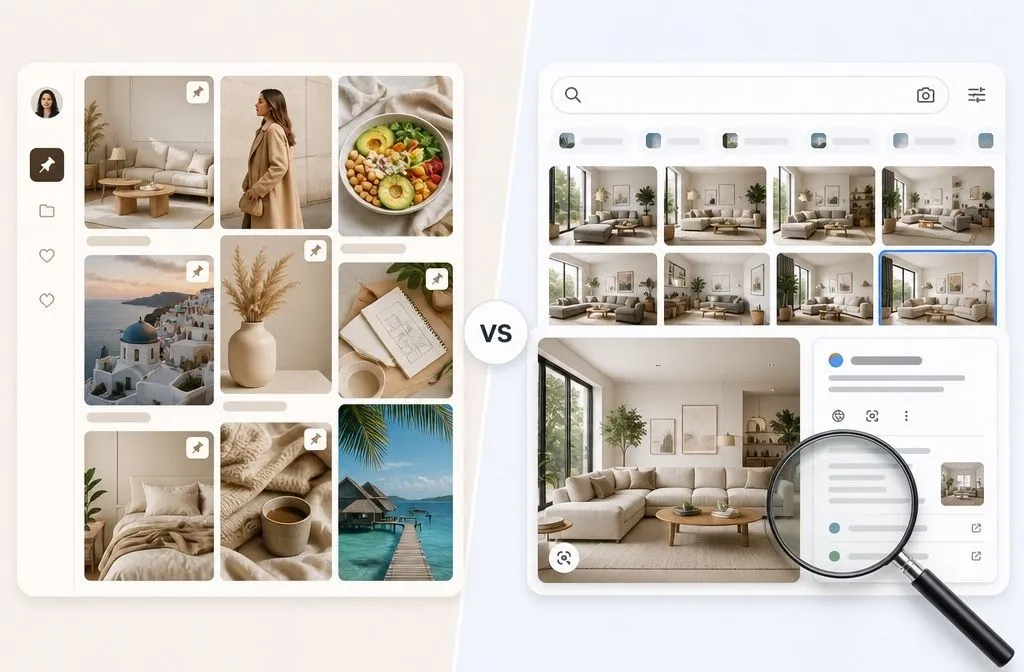
Pinterest surfaces content through search and interest matching, not through a follower feed. A beautiful pin with no keyword anywhere on it has almost nothing for the system to categorise.
Every pin carries several text fields that get read: the title, the description, the board it lives on, and the page it links to. Pin titles allow up to 100 characters, with the first 40 most likely to display, and descriptions allow up to 500 characters.
Fill all of them with language real people type into the search bar. Start by typing your topic into Pinterest’s own search bar and noting the autocomplete suggestions, because those are live queries, not guesses.
2. Expecting traffic within three weeks
New accounts do not move quickly. Pins gain distribution as they accumulate saves and clicks, which means a pin published today may do its best work six months from now.
Most beginners quit somewhere between week three and week eight, right before the compounding starts. Judge the account at the six-month mark, not the six-week mark, and use impressions rather than sessions as your early signal.
3. Skipping the business account and the claimed domain
Personal accounts do not get analytics, and without analytics you are guessing at everything else. Converting is free and takes a few minutes.
Claiming your website matters just as much. A website can only be claimed by one Pinterest account, and you can claim it by connecting Google Merchant Center or adding an HTML tag, an HTML file, or a TXT record to your site. The TXT record method survives theme and plugin changes, which makes it the safest choice for WordPress sites.
While you are in the settings, enable Rich Pins. Article rich Pins pull the headline, description, and author from your site, and they update automatically when you edit the page. Update a post title next year, and every existing pin pointing to it inherits the change.
4. Naming boards something cute instead of something searchable
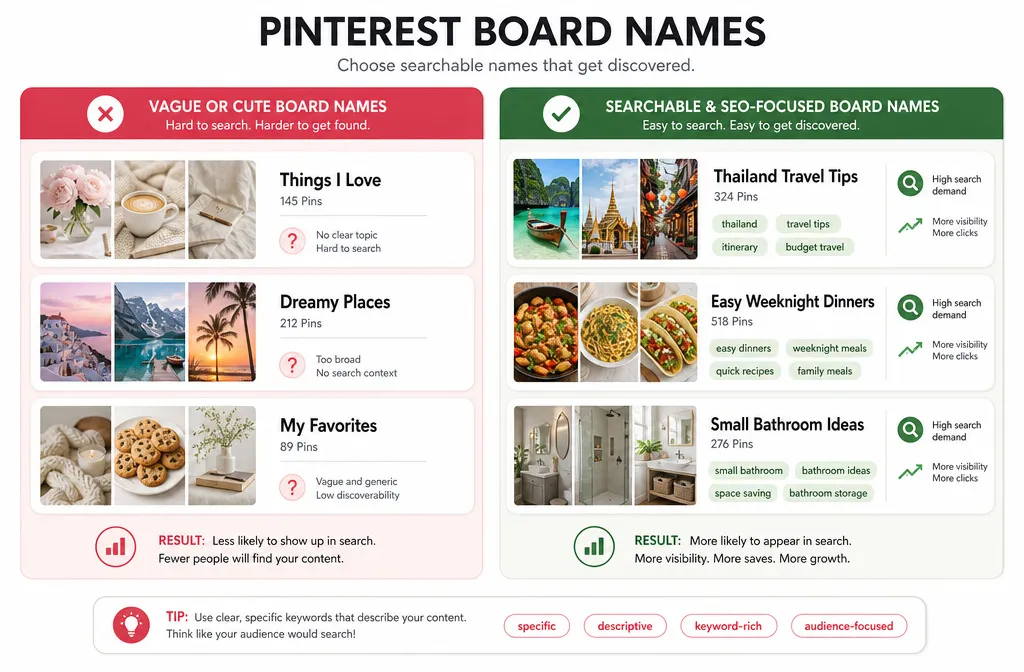
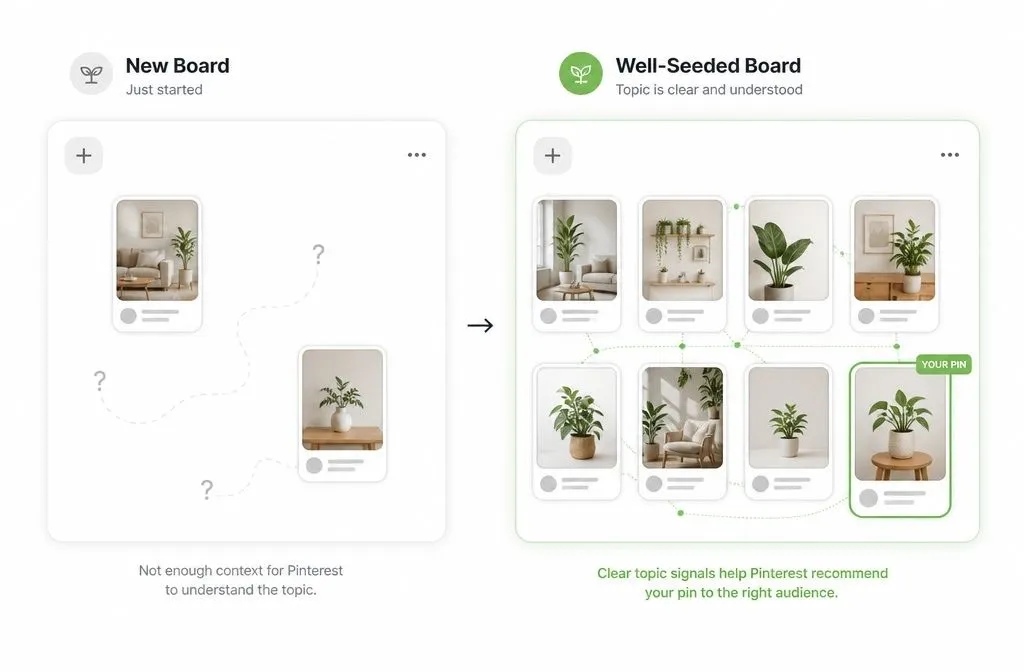
“Coffee, Tea and Travel” is charming. Nobody searches it. Board names are a ranking input, and a vague one gives Pinterest no context for the pins inside.
Name the board what the content is: “Thailand Travel Tips” “Easy Weeknight Dinners,” “Small Bathroom Ideas.” Then write a description that uses synonyms and related phrases rather than repeating the name back.
The opposite failure is just as common. Three boards that all mean the same thing split your pins across duplicated topics and leave each one thin. One well-fed board beats three half-empty ones.
5. Reposting the same pin and calling it fresh
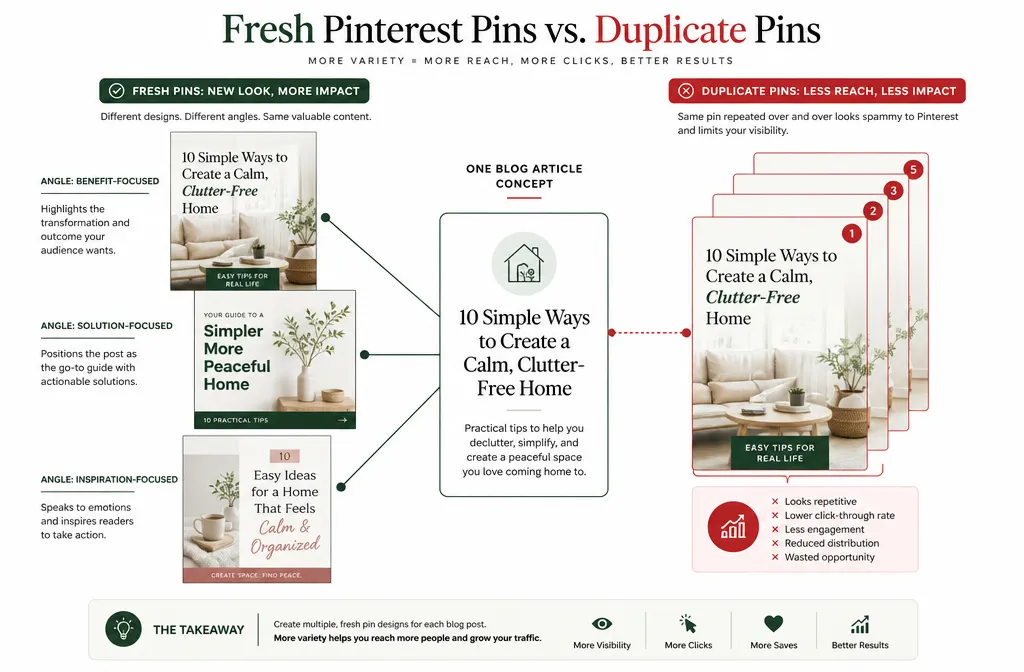
A fresh pin means a new image, not a new save of an old one. Uploading the same graphic to five boards in an afternoon reads as repetition to both the algorithm and to users who see it five times.
Pinterest’s Community Guidelines ask that websites carry original content adding unique value, and the platform removes spam when it finds it. Repeated identical uploads sit uncomfortably close to that line.
Create two or three genuinely different designs per post instead, each with its own title angle, and space them out over days.
6. Designing pins that break Pinterest’s own specs
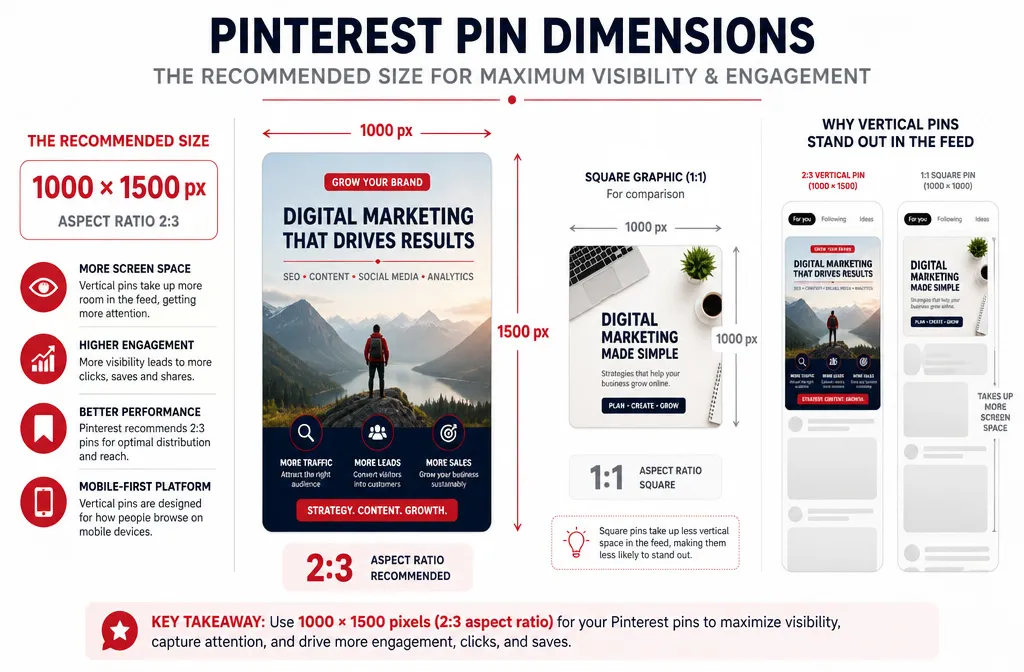
Square images cross-posted from Instagram take up roughly half the vertical space of a properly sized pin, which costs you attention in a scrolling feed.
Pinterest recommends a 2:3 aspect ratio, or 1000 x 1500 pixels, and notes that larger ratios may get cut off in people’s feeds. Anything meaningfully taller gets truncated, usually removing the bottom of the design where the call to action sits.
Readability is equally as important. Script fonts, small type, and text laid over a busy photo all fail the half-second glance test. Large sans-serif type on a solid or darkened block wins almost every time.
7. Pinning in bursts, then ghosting the platform
Forty pins on Sunday and nothing until the following month is the pattern that can flag your accounts. Automated systems flag sudden posting spikes and repetitive behaviour, and publishing a large batch of pins to the same blog post within a single hour can be interpreted as spam even when the content is legitimate.
Steady and consistent pinning beats heavy upload. Five to ten pins a day, spread across the day, does more for a new account than a weekly avalanche. Build up volume gradually over months rather than starting at your ceiling.
If keeping that rhythm while running a business is the actual problem, that is a workload issue rather than a strategy issue, and it is worth solving before you touch anything else on this list.
8. Sending clicks to a page that does not deliver
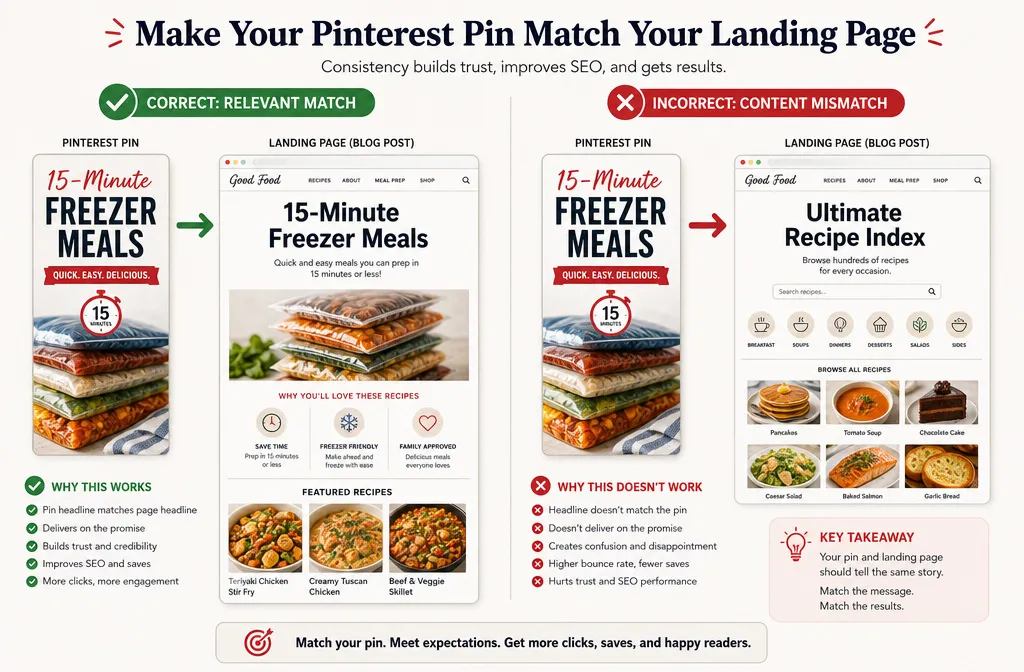
Pinterest crawls the page behind every pin. When the pin promises “15 minute freezer meals” and the landing page is a general recipe index, the mismatch shows up in bounce rate first and in distribution shortly after.
Pinterest applies a “no surprises” principle to links, meaning people should be able to reasonably anticipate where a link takes them, and excessive or deceptive redirection may be blocked.
Match the page title, the H1, and the opening paragraph to the pin’s promise. If you have several pins pointing at one post, use variations of those angles as subheadings on the page.
9. Chasing growth hacks that violate the guidelines
Engagement pods, bulk follow-unfollow cycles, and networks of accounts all pushing the same site are still circulating in Pinterest advice, including in paid courses.
Pinterest’s guidelines state directly that you should not operate multiple accounts or coordinate with other people for the purpose of manipulating the platform. The commercial guidelines add that you should generally operate only one account, and that it should be your authentic presence on the platform.
Risking a domain and an account that took a year to build, for a short-term distribution bump, is a poor trade. The tactics that survive policy updates are unglamorous: original images, real keywords, consistent publishing.
10. Pinning without ever reading the analytics
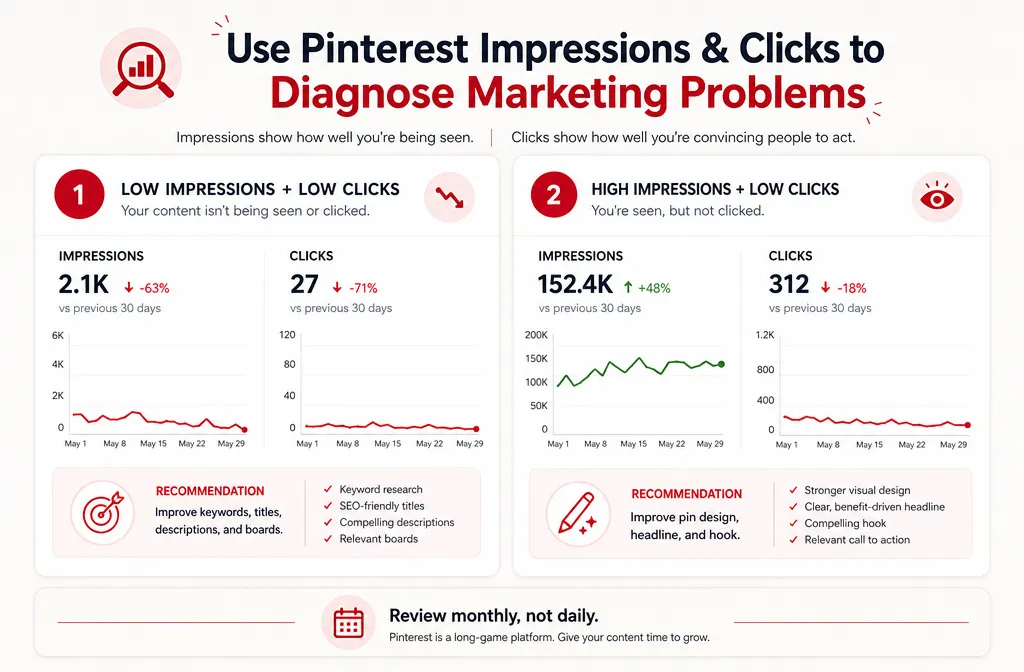
Six months of pinning with no idea which pins produced clicks means six more months of repeating whatever was not working.
Two numbers tell you almost everything. Low impressions point at keyword targeting or interest matching, so the fix sits in your titles, descriptions, and board structure. High impressions with low clicks point at the pin itself, so the fix is the design or the hook.
Check monthly, not daily. Pinterest data moves slowly enough that daily checking produces anxiety rather than insight.
How to audit your account for Pinterest beginner mistakes
Work through this in order. Each step is cheap, and the early ones unlock the data you need for the later ones.
- Convert to a business account and claim your domain via TXT record.
- Enable Article Rich Pins and validate one URL.
- Rename any board whose title you would not type into a search bar.
- Write or rewrite every board description with synonyms and intent words.
- Rebuild your pin template at 1000 x 1500 with type large enough to read on a phone.
- Set a daily pinning number you can hold for six months, then hold it.
- Open analytics on the first of each month and note impressions against clicks.
Accounts stuck below a thousand monthly clicks usually fail on steps one through four, not on design. If you would rather have someone else run that audit and hand you the fix list, Pinterest management and audit services exist for exactly this bottleneck.
The Pinterest beginner mistakes worth fixing first
Not all ten cost the same. Skipping the business account and claimed domain blinds you to everything else, so that goes first. Unsearchable board names come second, because they cap the ceiling on every pin you will ever publish. Everything after that is refinement.
One more piece of context on who you are writing for: Gen Z now makes up more than half of Pinterest’s user base and is its fastest-growing cohort. Advice written for the 2018 Pinterest audience is aging faster than most people realise, which is another argument for checking your own analytics rather than trusting any single playbook, including this one.