Aesthetic Pinterest boards look effortless, but the good ones are built on a few deliberate choices. The reason your feed feels scattered is rarely the pins themselves. It is that the boards have no shared rule holding them together.
This guide gives you a repeatable way to curate a cohesive look, whether you are building boards for personal inspiration or shaping a branded profile people follow. You will pick one aesthetic, set a color palette, organize what you save, and keep it clean over time. None of it requires design skills.
What Makes a Pinterest Board “Aesthetic”
An aesthetic board is a collection of pins organized around one clear style or mood, where the images agree with each other visually. A minimalist board holds clean lines and soft neutrals. A dark academia board holds moody, scholarly tones. The style is the filter that decides what gets in.
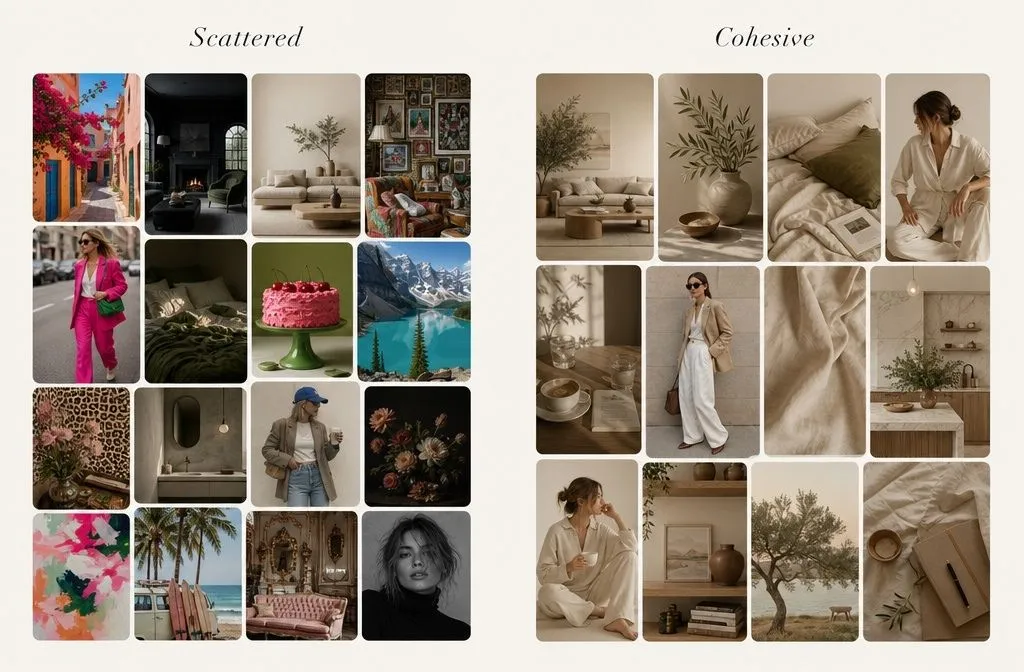
The word people reach for is cohesion. A cohesive board look means someone can glance at the board and read the vibe in two seconds, because nothing in it fights for attention. That is the whole game. Cohesion is not about having beautiful pins. It is about having pins that belong together.
Most scattered boards fail on one of three things: too many styles in one place, clashing colors, or no editing after the initial pinning spree. Fix those three and the board reads as intentional.
Step 1: Pick One Aesthetic Per Board
The fastest way to ruin a board is to make it too broad. A board called “Fashion” will collect boho maxi dresses, corporate blazers, and streetwear in the same grid, and none of it will look related.
Narrow the theme until every pin can share a mood. Instead of “Fashion,” build “Soft Autumn Casual Outfits.” Instead of “Home,” build “Warm Minimalist Living Rooms.” The theme should be specific enough to stay consistent, but broad enough that you can keep adding pins for years.
A simple test: if you can picture the color and feeling of the board before you open it, the theme is tight enough. If you cannot, split it into two.
Common aesthetics to build around
- Minimalist: clean layouts, lots of white space, muted neutrals
- Pastel: soft, light colors with a calm feel
- Dark academia: vintage, moody, scholarly tones
- Boho: earthy colors, natural textures, relaxed styling
- Coastal / light and airy: blues, whites, natural light
Pick the one that matches what you actually save. Chasing an aesthetic you do not love shows, because you run out of pins that fit.
Step 2: Set a Color Palette and Hold to It
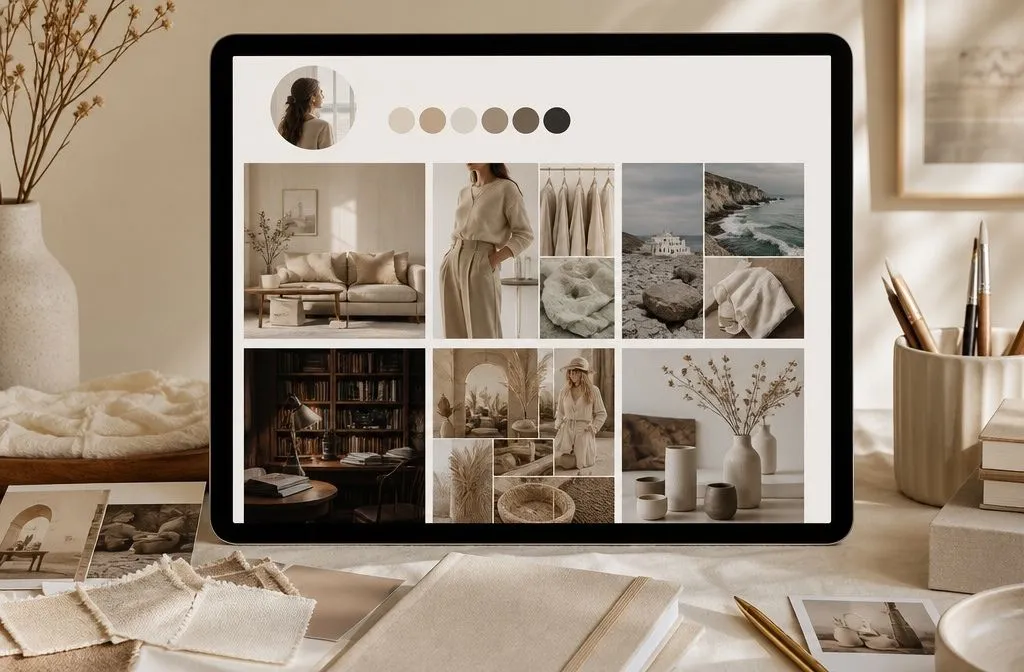
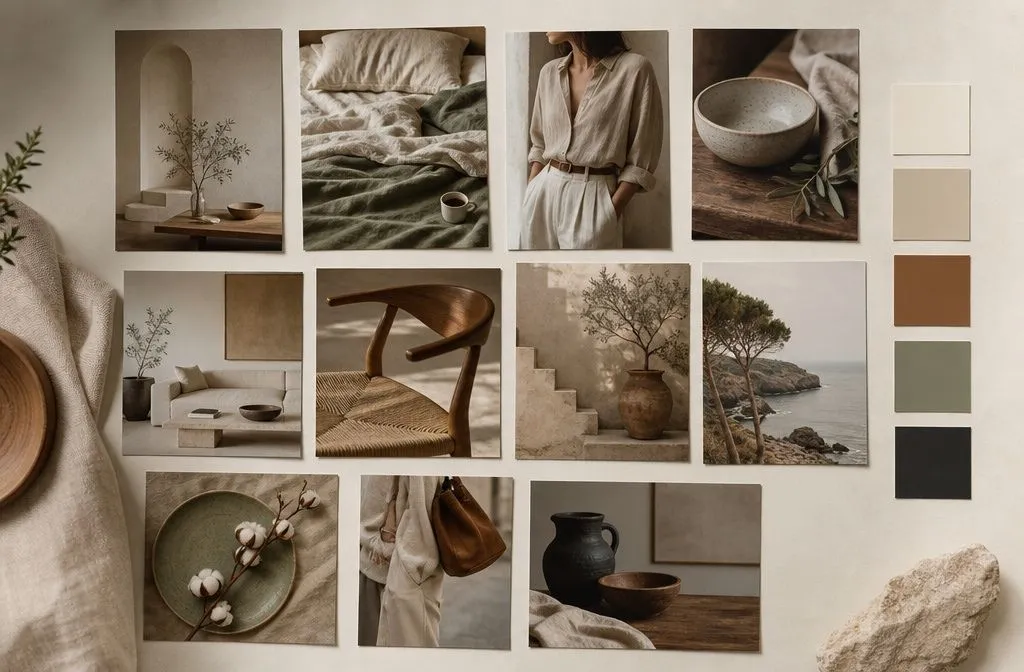
Color is what the eye reads first, so a shared palette does more for a cohesive board look than anything else. Choose three to five core colors and let them run through the whole board. This is a standard color-theory guideline, not a Pinterest-specific trick: a small palette reads as deliberate, a large one reads as noise.
Analogous colors (neighbors on the color wheel) feel calm and connected. Complementary colors (opposites) add contrast and energy. Either works. What breaks a board is having no rule at all, so ten unrelated color stories sit side by side.
Match the palette to the mood. Earthy browns and greens suit nature and home decor. Soft pastels suit calm, romantic themes. Once you have the palette, it becomes your filter. If a pin is lovely but its colors clash with the board, it goes on a different board, not this one.
Step 3: Curate Pins Like an Editor, Not a Collector
The instinct is to save everything that catches your eye. That is fine for a first pass, but a cohesive board needs a second pass where you edit.
When you save, look for pins with clean backgrounds, good lighting, and tones that match your palette. Skip cluttered images, even good ideas, if they break the visual flow. One busy, off-palette pin drags down the boards around it.
There is also a quiet ranking benefit here. Pinterest pays attention to what people save and engage with, so a board full of images your audience actually wants to save tends to get shown more. Curating for a cohesive look and curating for reach point the same direction.
If you are using Pinterest to define your own style rather than build an audience, the edit is where the payoff lives. After you have pinned 20 or 30 looks, patterns show up. The same silhouettes, the same colors, the same textures keep repeating. That repetition is your actual taste, and it is easier to see once the noise is edited out.
Step 4: Organize Boards and Use Sections
Cohesion works at two levels: inside each board and across your whole profile. Once individual boards are tight, the profile needs structure so it does not read as a pile. Group related boards so someone landing on your profile sees a logical flow rather than a random stack. Within a single broad board, you can create sections to split it into sub-themes without spinning up a dozen near-duplicate boards. A “Home Decor” board can hold sections for living room, bedroom, and entryway, which keeps the profile tidy while still letting each sub-theme stay consistent.
This matters most if you are building a following. A visitor decides whether to follow in the first few seconds, and a profile that is organized and on-theme earns that follow. A scattered one does not, no matter how good the individual pins are.
Step 5: Add Custom Board Covers for a Unified Profile
Board covers are the single highest-leverage move for a cohesive Pinterest profile, because they are what people see before they open anything. By default, Pinterest uses the first pin you saved as the cover, which means your covers are currently random.
You can change any cover in a few clicks. Open the board, click the three dots next to the board name, choose Edit board, and under Board cover, either pick an existing pin or upload your own design. To use a custom cover, upload your design as a pin to that board first, then select it.
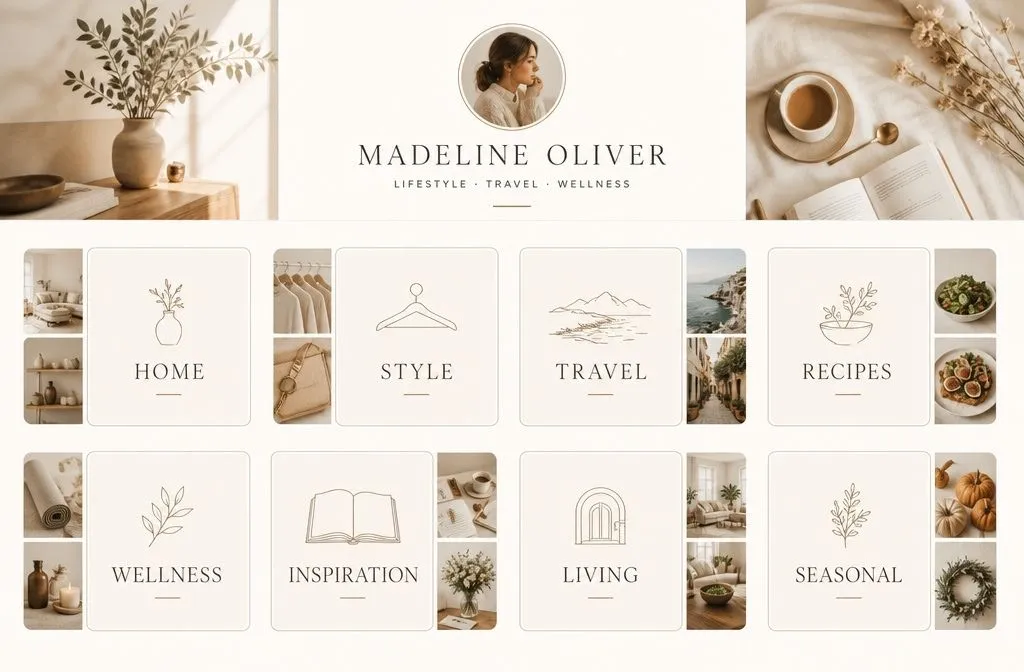
For a branded, unified look, design covers in the same template: same background color, same font, same layout, just a different label per board. Free tools like Canva make this quick, and a 1:1 square around 1000 x 1000 pixels works well. When every cover shares a style, the whole profile snaps into a single aesthetic even if the boards underneath cover different topics.
Step 6: Write Board Descriptions That Reinforce the Theme
A board description is a small thing that does two jobs. It tells visitors what to expect, and it tells Pinterest what the board is about so the right people find it.
Do not just repeat the board name. Use the description to add related terms and the specific style words that define the board. “Minimalist Scandinavian living room ideas with neutral tones and natural wood” says far more than “Living Room.” That specificity helps your board surface for people searching that exact aesthetic, and it signals to followers that the board has a clear point of view.
Keep it natural. A description stuffed with keywords reads badly and does not help. One or two clear sentences that name the style, the mood, and a few related ideas is enough.
Step 7: Keep Boards Alive With a Monthly Cleanup
A cohesive board is not a one-time build. Tastes drift, trends move, and a board you curated in spring can feel off by autumn. The fix is a short, regular edit rather than a big overhaul.
Once a month, scroll each active board and remove pins that no longer fit the palette or the mood. Interior designers who use Pinterest for client work describe this like cleaning out a closet: if a pin no longer serves the look, it goes. The board stays tight because you keep pulling the weeds.
Refresh at the same time. Add pins for the current season, retire the ones that have gone stale, and update a cover if the board’s direction has shifted. A board that gets a little attention every month stays cohesive with almost no effort. One that gets ignored for a year rarely does.
Quick Curation Checklist
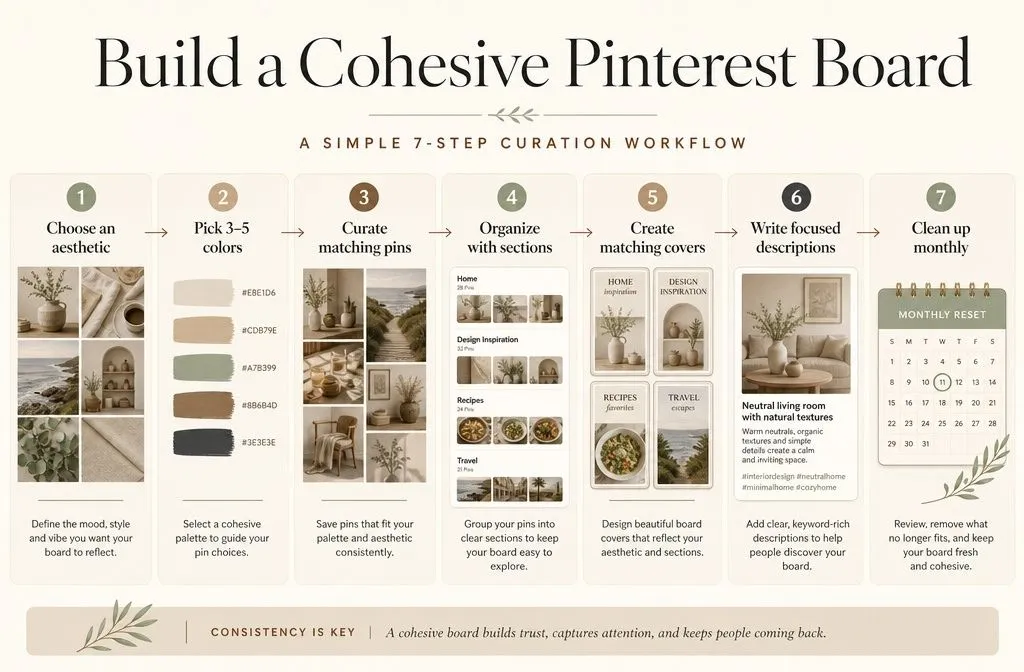
- One clear aesthetic per board, specific but not narrow
- A three-to-five-color palette that every pin respects
- Clean, well-lit pins only, edited in a second pass
- Related boards grouped, broad boards split into sections
- Custom covers in one shared template across the profile
- Descriptions that name the style instead of repeating the title
- A ten-minute cleanup once a month
Work through it once per board, and the cohesive look takes care of itself. The boards that feel effortless are just the ones someone quietly edited.