You made a brand new board. You pinned your best content to it. And then nothing happened.
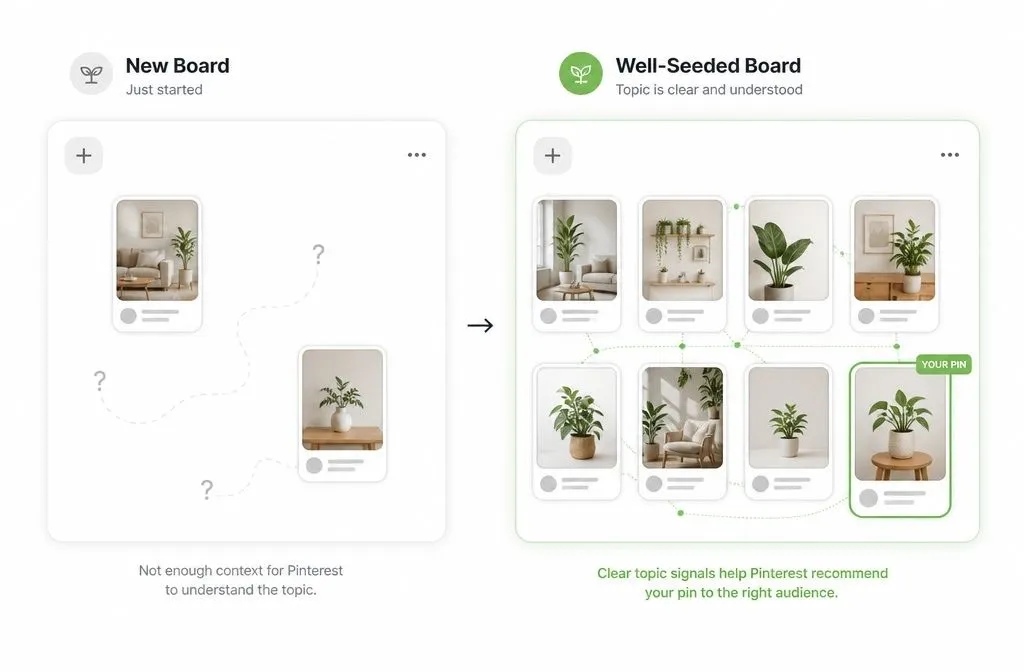
That silence is normal, and it has a reason. An empty board tells Pinterest nothing. The algorithm has no idea what the board is about, your audience, or where your pins belong in search and the home feed. Pinterest will just randomly distribute your content to everyone, and because it doesn’t click with the users, the algorithm will forget about it.
Seeding your board fixes that. When you seed your boards, you save pins relevant to it from other people before you add your own. You hand Pinterest the context it needs on day one instead of making it guess what that board is about. Done right, this is one of the fastest ways to get a new board pulling traffic.
Here’s exactly how to do it.
What it means to seed a Pinterest board
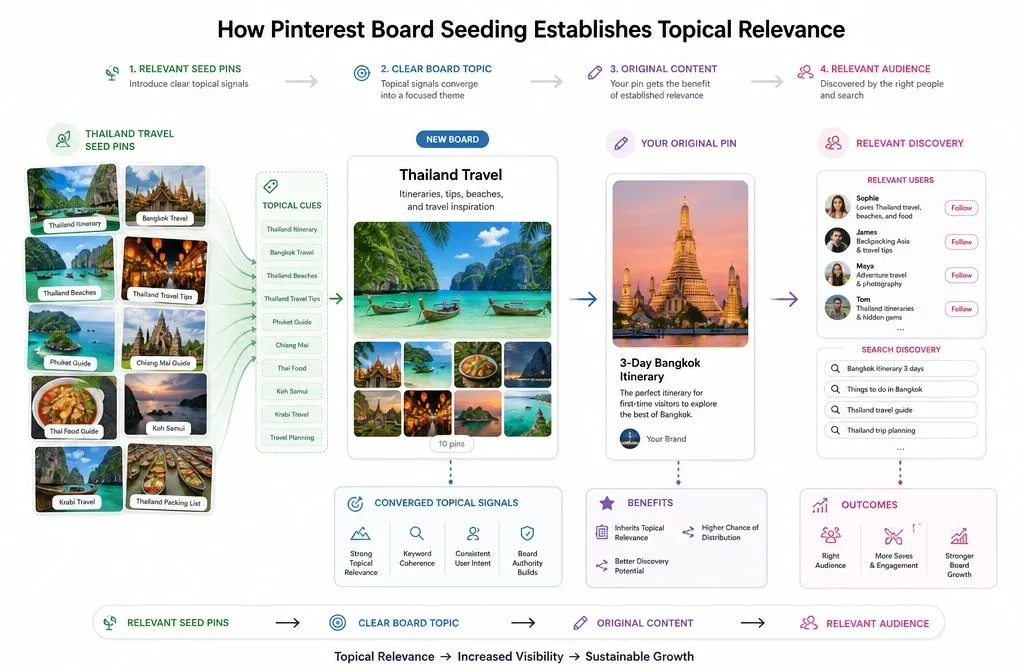
To seed a Pinterest board is to populate it with high-performing pins from other creators, all tightly focused on one topic, right after you create it. You’re setting the algorithm expectations on what this board is about.
Pinterest treats your boards as metadata. Sprout Social’s breakdown of the algorithm is blunt about this: the system scans your titles, pin descriptions, board topics, and linked domains to understand intent and match your content to what people search for. Tailwind’s beginner guide on boards says the same thing from the other direction: board titles and descriptions give Pinterest the context it uses to decide who sees your content.
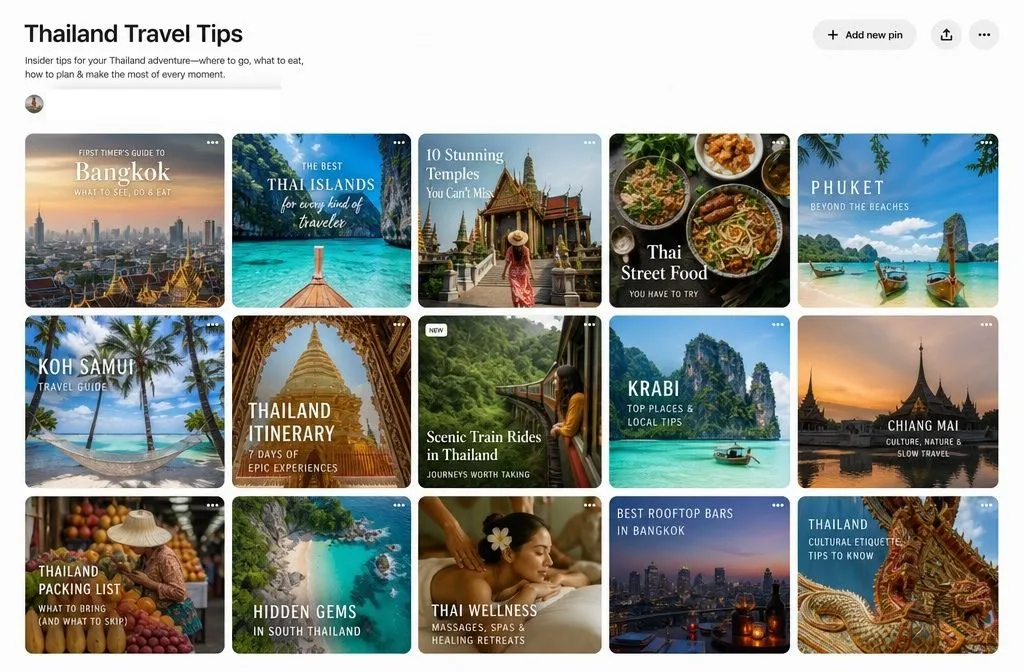
So a board isn’t a folder. It’s a signal. Seed it with 20 or more strong pins about “Thailand Travel Tips,” and Pinterest learns fast that this board is about Thailand travel tips. The pins you add next inherit that clarity.
Skip this step, and you’re asking for Pinterest to rank a page with no content on it yet.
Why an empty board slows your traction down
New Pinterest accounts already move slowly. Most people don’t see meaningful traffic for three to six months, and that timeline shows up everywhere from Pinterest coaching sites to blunt threads full of people comparing notes on their own accounts. Account credibility takes time to build. There’s no shortcut around that part.
But you can absolutely speed up how fast an individual board earns its footing. And an unseeded board works against you on two fronts.
First, context. With no established topic, your pins get weak initial distribution because Pinterest can’t confidently match them to searchers. Second, momentum. Pinterest gives fresh pins an early visibility boost, but that boost depends on engagement arriving quickly. If your pins land on a board the algorithm doesn’t understand, they reach the wrong people, pick up no saves, and the early boost fizzles.
Seeding attacks both. Relevant context, in place from the start, so your fresh pins launch into an audience that’s already the right one.
How the seeding signal actually works
Here’s the mechanism, because it’s worth understanding rather than following blindly. When you save someone else’s pin to your board, Pinterest reads that pin’s data: its keywords, its description, the interests it’s associated with. Save 10 pins that all cluster around one clear topic, and you’ve drawn a tight boundary around what your board represents.
Your Pin Coach’s 2026 algorithm breakdown describes how Pinterest now connects pins through user behavior sequences. Someone saves one pin about a topic, and Pinterest immediately surfaces more pins on that same topic, often ones saved to the same board. Board-level topical association is doing real work in how content spreads. A well-seeded board plugs your own pins straight into that flow.
There’s a save-velocity angle too. Early saves are one of the strongest signals a pin can get. When your board is already surfacing to the right audience because you seeded it well, your new pins have a far better shot at those early saves that trigger wider distribution.
You’re not tricking anything. You’re giving an honest, accurate picture of your board’s topic, faster than an empty board ever could.
Step by step: how to seed a new board
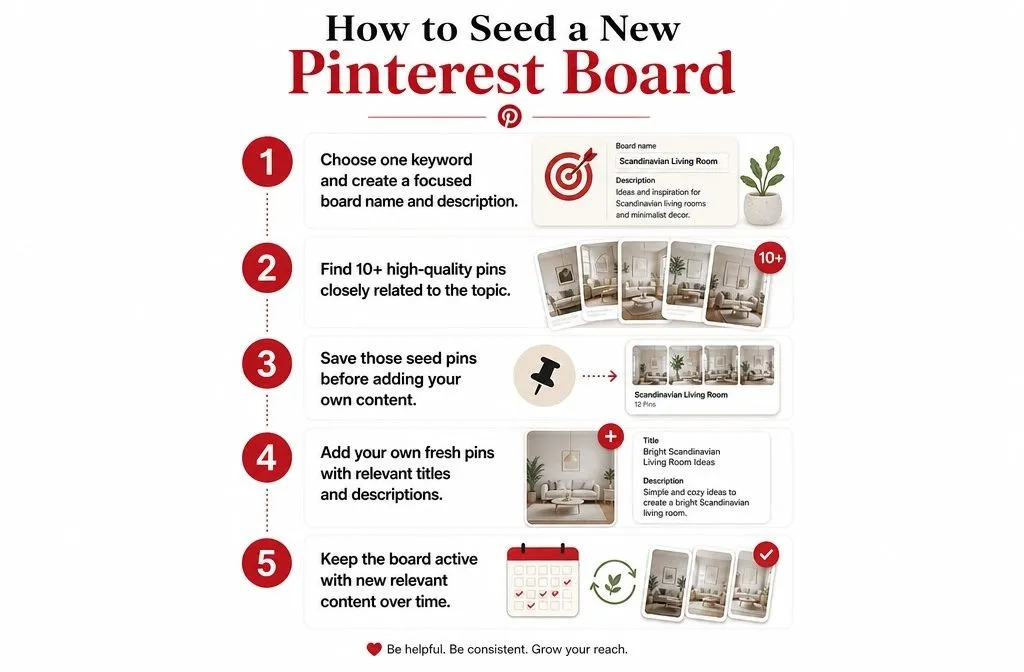
Follow this in order. The sequence matters.
1. Name and describe the board around one keyword
Before a single pin, get the board’s name and description right. Use a clear, keyword-led name that matches how people search. “Weeknight Chicken Dinners” beats “Yummy Eats.” Skip vague adjectives and cute labels. Pinterest categorizes your board based on this name, so make it obvious.
Write a description that adds synonyms and related terms rather than repeating the name. If the board is “Weeknight Chicken Dinners,” the description can pull in easy chicken recipes, quick family meals, and 30-minute dinner ideas. You’re widening the net of searches the board can match.
2. Find 10 or more high-performing pins on the exact topic
Now go collect your seed pins. You want quality and relevance, not volume for its own sake. Aim for at least 10, all clearly on-topic, ideally recent and clearly getting engagement.
Where to look:
Search your keyword on Pinterest while logged out, so you see genuinely top-ranking results instead of a feed shaped by your own history. Open a strong pin and scroll to the Related Pins feed underneath it, which is a dense source of on-topic, proven content. Check Pinterest Trends for your keyword to see what’s rising. And when you create the board, Pinterest often suggests pins to add, so grab any that fit tightly.
Pick pins that a real person planning that topic would genuinely want to save. That’s the bar.
3. Save the seed pins before adding your own
Save all your seed pins to the board first. Get the topic established before your content shows up.
This is the step people rush, and it’s the one that matters most. If you dump your own three pins onto a fresh board and stop, the board has almost nothing to learn from. Seed it properly, and your pins arrive into a context Pinterest already trusts.
One caution: keep the board public. Pins saved to secret boards don’t get distributed in the algorithm at all, so a secret board defeats the entire purpose.
4. Add your own pins, one per unique idea
With the board seeded, start adding your content. Give each pin a keyword-rich title and description that match the board’s topic. If a pin’s own text lines up with the board it lives on, you’re reinforcing the same signal from two directions.
Vary your pin images. Pinterest strongly favors fresh visuals over repeats, so new images and new URLs get the best distribution. Don’t recycle the same graphic across boards and expect the same lift.
5. Keep the board active
A seeded board isn’t a finished board. Pinterest rewards consistency and ongoing freshness, so add new relevant pins over time, both yours and the occasional strong third-party pin. An active, well-tended board holds its distribution. A board you abandon after seeding slowly loses relevance.
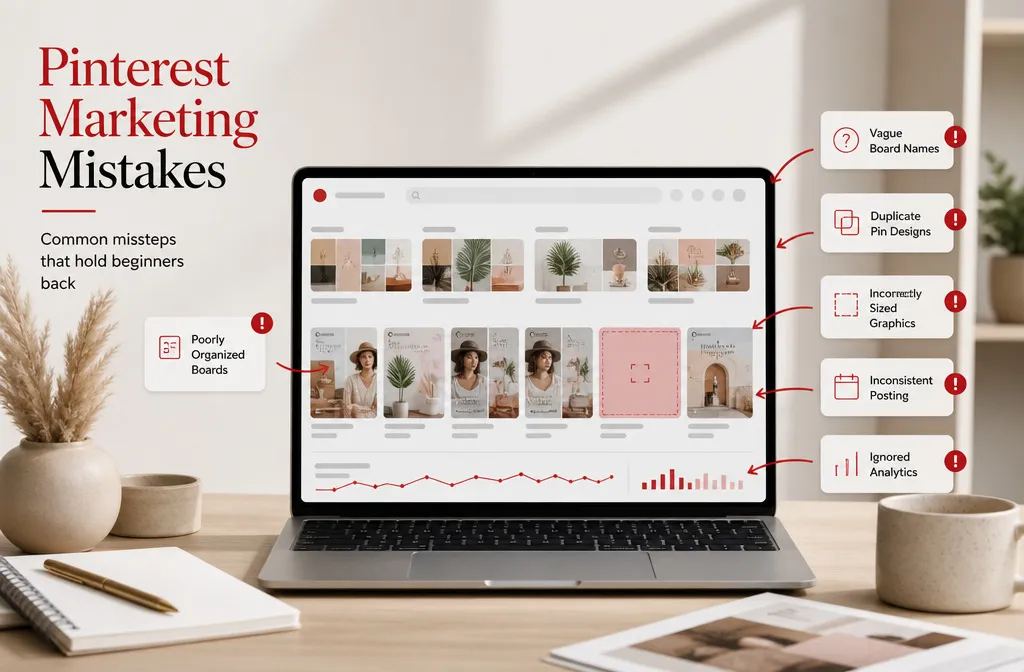
Seeding mistakes that waste the effort
A few ways people undercut their own seeding:
Mixing topics. If your “Coastal Living Room Decor” board also has kitchen pins and a few travel shots, you’ve muddied the signal. Pinterest can’t cleanly categorize a board that’s about four things. One board, one topic.
Seeding with weak pins. Saving low-engagement, off-topic, or ancient pins just to hit a number tells Pinterest the wrong story. Ten strong, relevant pins beat thirty random ones.
Treating it as one-and-done. Seeding launches a board. Consistency sustains it. Do the first and skip the second and you’ll watch early traction fade.
Expecting overnight results. Even a perfectly seeded board sits inside a new account that needs months to earn full trust. Seeding speeds up the board. It doesn’t rewrite the account timeline.
Is seeding worth doing on every board?
For a new account building out fresh boards, yes. The cost is 15 minutes of saving good pins. The payoff is a board that Pinterest understands immediately instead of one it ignores for weeks. That trade is easy.
On established boards that already rank and pull traffic, the case is weaker. Those boards have proven their topic through months of engagement. You don’t need to seed what’s already working. Save your seeding effort for anything new.
The pattern holds across the whole platform: give Pinterest clear, accurate context, and it distributes your content well. Withhold that context and it can’t. Seeding is just the fastest way to supply it at the exact moment a new board needs it most.